
Arcade Parts
Shop Arcade Parts
Repair, restore, or customize your original cabinet with quality arcade parts. From control hardware to board-level components, this category brings together the essentials collectors and operators need to keep classic games running.

Star Wars / Empire Strikes Back 12K VRAM Upgrade The Star Wars / Empire Strikes Back 12K VRAM Upgrade is a reliable, plug-and-play solution that replaces the six 2K × 8 VRAM SRAM chips on your Atari Star Wars vector PCB. This modern upgrade reduces failure points, improves long-term reliability, and keeps your classic game running smoothly for years to come. Features · Compatibility · Installation Notes · FAQ Key Features Drop-in module replaces six 2K×8 VRAM SRAMs (12K total). Plug-and-play on socketed boards—no ROM or wiring changes. Modern components improve stability and longevity. Reduces heat and common failure points in the VRAM section. Compatibility Atari Star Wars (1983) and The Empire Strikes Back (1985) vector arcade PCBs/cabinets using the standard 12K VRAM section. Installation Notes Power off and discharge the cabinet before service; observe ESD precautions. Align the module with the VRAM positions and press firmly into the sockets. No soldering required if your original VRAM chips are socketed; if not, sockets must be installed by a qualified technician. FAQ Do I need to modify the board? No. On socketed boards the module drops in—no wiring or ROM changes. Will this change gameplay or graphics? No. It’s a reliability upgrade only; gameplay and timing remain original. What issues does this address? Replaces six aging VRAM chips that commonly cause intermittent video faults, instability, or no-boot conditions.

40-Pin Socket Specifications This 40-pin DIP socket is designed for reliable installation of integrated circuits and arcade daughter boards that use a standard 40-pin layout. Using a socket allows the chip or module to be easily removed or replaced without soldering directly to the PCB, helping protect the board during upgrades, repairs, or troubleshooting. Pin Pitch: 2.54 mm (0.100″) standard DIP spacing Total Pins: 40 pins arranged in two rows (2×20) Mounting Type: Through-hole (THT) for secure soldered installation Compatibility: Designed for standard 40-pin DIP integrated circuits and modules Installation Benefit: Allows ICs to be inserted or removed without repeated soldering Use Case: Ideal for arcade PCB upgrades, ROM installations, and repair work The standard 2.54 mm (0.100″) pin spacing matches the layout used on most classic arcade PCBs and DIP integrated circuits. Once soldered to the board, the socket provides a stable connection while allowing the chip to be safely inserted and removed when needed.

6100 Deflection Board LV Section Replacement Module The 6100 Deflection Board LV Section Replacement Module is designed to replace the unreliable low-voltage (LV) section found on the Atari 6100 vector monitor deflection board. This upgrade eliminates several common failure points that can cause instability, monitor shutdown, or inconsistent operation. Over time, the original low-voltage circuitry on the 6100 deflection board can become unreliable due to aging components, heat stress, and repeated power cycling. This replacement module modernizes that section of the circuit and provides improved reliability while maintaining proper monitor operation. Once installed, the module restores stable low-voltage regulation for the deflection board, helping ensure your vector monitor operates correctly in classic arcade machines such as Tempest, Star Wars, Major Havoc, Quantum, and other Atari vector cabinets that use the 6100 monitor. Key Features Replaces the original low-voltage section of the Atari 6100 deflection board Eliminates common LV circuit failure points Improves long-term reliability of the vector monitor Helps stabilize monitor operation and voltage regulation Designed for arcade restoration and repair work Compatibility Designed for use with the Atari 6100 vector monitor commonly found in classic arcade machines such as Tempest, Star Wars, Major Havoc, Quantum, and other Atari vector titles. Installation Notes Soldering and de-soldering are required for installation. The module installs directly onto the 6100 deflection board as shown in the gallery images. Installation should be performed by someone experienced with arcade PCB repair. This upgrade is an excellent solution for arcade collectors and technicians restoring original Atari vector monitors who want improved reliability without replacing the entire deflection board.
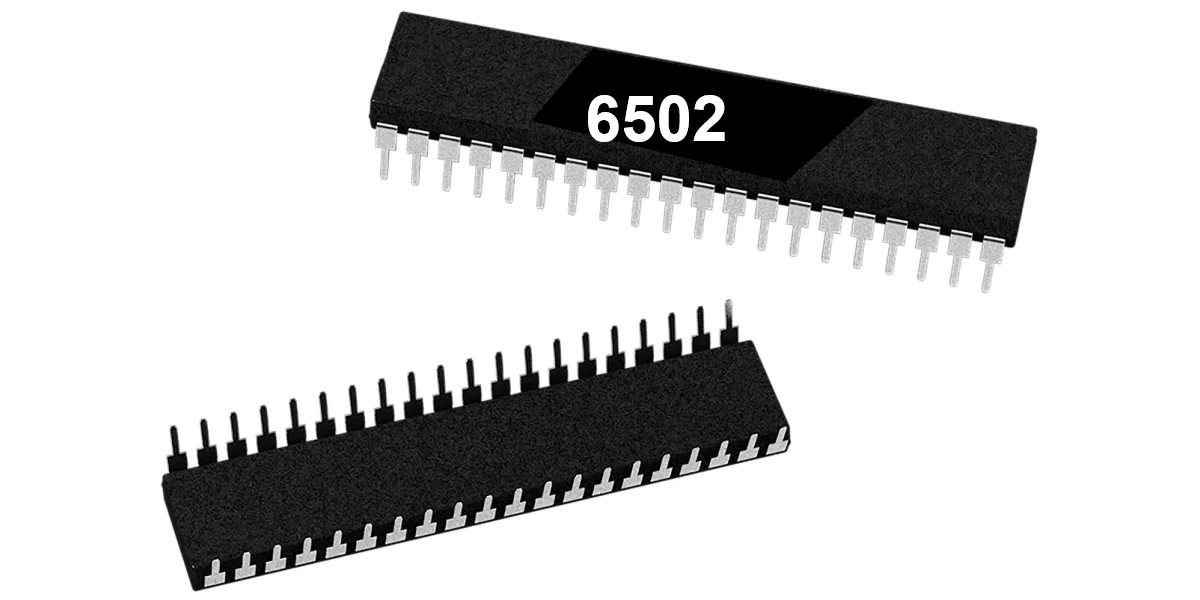
6502 8-Bit Microprocessor (40-Pin CPU) The 6502 is a classic 8-bit microprocessor widely used in early arcade hardware and computer systems. This 40-pin DIP CPU served as the primary processor for many classic arcade PCBs and is responsible for executing the game program, processing player inputs, and controlling overall system timing. Many Atari arcade boards rely on the 6502 processor to manage gameplay logic and communicate with other hardware components such as ROM chips, RAM, and video circuitry. A working CPU is essential for proper board operation, making the 6502 a common replacement component during arcade PCB repair and restoration. Key Features 6502 8-bit microprocessor Standard 40-pin DIP (Dual In-line Package) Commonly used in classic arcade PCBs Handles game logic, timing, and hardware control Ideal for arcade board troubleshooting and repair Used In Arcade Games Such As Asteroids Battlezone Centipede Tempest Warlords Missile Command Gravitar Red Baron Because the 6502 processor was widely adopted by Atari and other arcade manufacturers, it appears on many classic arcade boards from the late 1970s and early 1980s. Installation Notes Installs in a standard 40-pin DIP socket Carefully align the notch orientation when installing Recommended for technicians performing arcade PCB repair or restoration *Manufacturer brands may vary.
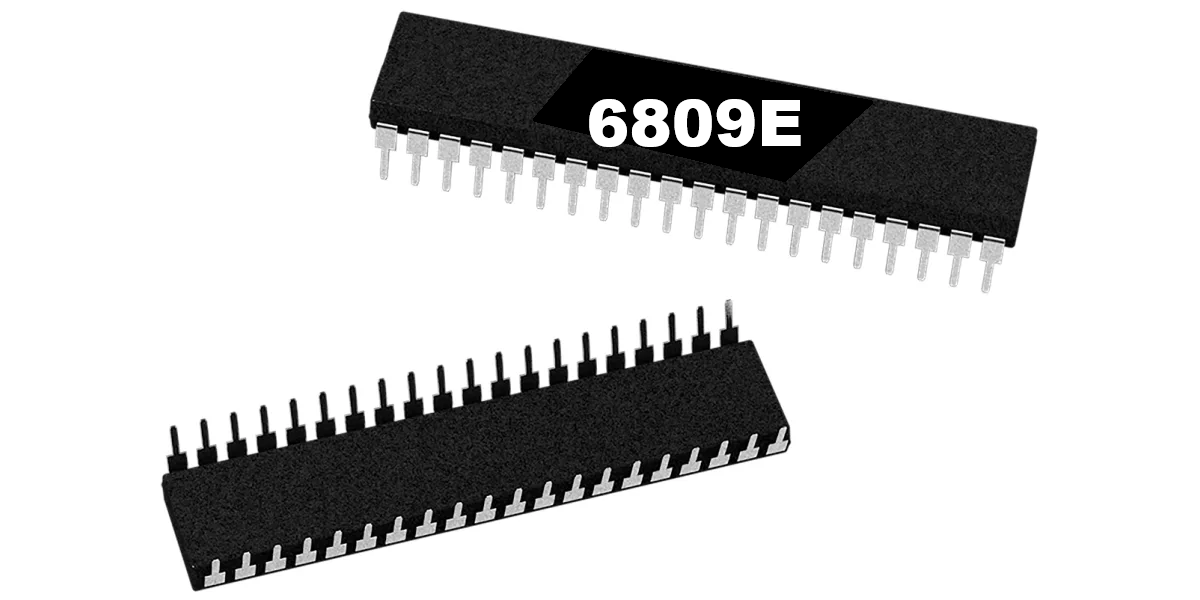
6809E 8-Bit Microprocessor (40-Pin CPU) The 6809E is a powerful 8-bit microprocessor commonly used in classic arcade PCBs during the early and mid-1980s. This processor served as the main CPU for many arcade boards, executing game code, handling player inputs, and coordinating communication between memory, sound hardware, and video circuitry. Known for its advanced architecture compared to earlier processors, the 6809E provided improved instruction sets and efficient memory addressing, making it a popular choice for more complex arcade games. A properly functioning CPU is essential for reliable board operation, making the 6809E a common replacement component during arcade PCB repair and restoration. Key Features Motorola 6809E 8-bit microprocessor Standard 40-pin DIP (Dual In-line Package) Used as the main CPU in many classic arcade boards Handles game logic, timing, and hardware communication Ideal for arcade PCB repair and restoration work Used In Arcade Games Such As Circus Charlie Juno First Track & Field Hyper Sports Star Wars Qix …and many other classic arcade titles Some arcade boards use the 6809E processor in conjunction with other supporting chips or adapters. In certain Konami systems, the 6809E can be used with a 42-pin Konami-1 adapter, which is included with some HighScoreSaves kits. Installation Notes Installs into a standard 40-pin DIP socket on compatible arcade PCBs Ensure proper notch orientation when installing the CPU Recommended for technicians performing arcade board troubleshooting or restoration *Can be used with a 42-pin Konami-1 adapter (included with some HighScoreSaves kits). *Manufacturer brands may vary.

8035 8-Bit Microcontroller (Sound CPU, 40-Pin DIP) The 8035 is an 8-bit microcontroller from the Intel MCS-48 family that was commonly used as the sound CPU on classic arcade PCBs. This processor manages audio control, timing signals, and communication with the sound hardware that generates music and sound effects during gameplay. In many arcade boards, the 8035 operates alongside the main game processor and is dedicated to handling audio-related tasks. By separating sound processing from the main CPU, arcade hardware was able to deliver more complex sound effects and music while maintaining smooth gameplay performance. The chip uses a standard 40-pin DIP (Dual In-line Package) and installs into a compatible socket on the arcade PCB. Because the sound CPU is critical for proper audio operation, the 8035 is often replaced during troubleshooting and restoration of classic arcade boards. Key Features 8035 8-bit microcontroller from the Intel MCS-48 family Commonly used as the sound CPU on arcade PCBs Standard 40-pin DIP package Handles audio control, timing, and sound hardware communication Ideal for arcade PCB repair and restoration Used In Arcade Games Such As Donkey Kong Donkey Kong Jr. Donkey Kong 3 …and other classic Nintendo arcade titles Installation Notes Installs into a standard 40-pin DIP socket on compatible arcade PCBs Ensure the notch orientation matches the socket when installing Recommended for technicians performing arcade PCB troubleshooting or repair *Brand or manufacturer markings may vary (for example NEC 8035 or compatible equivalents).
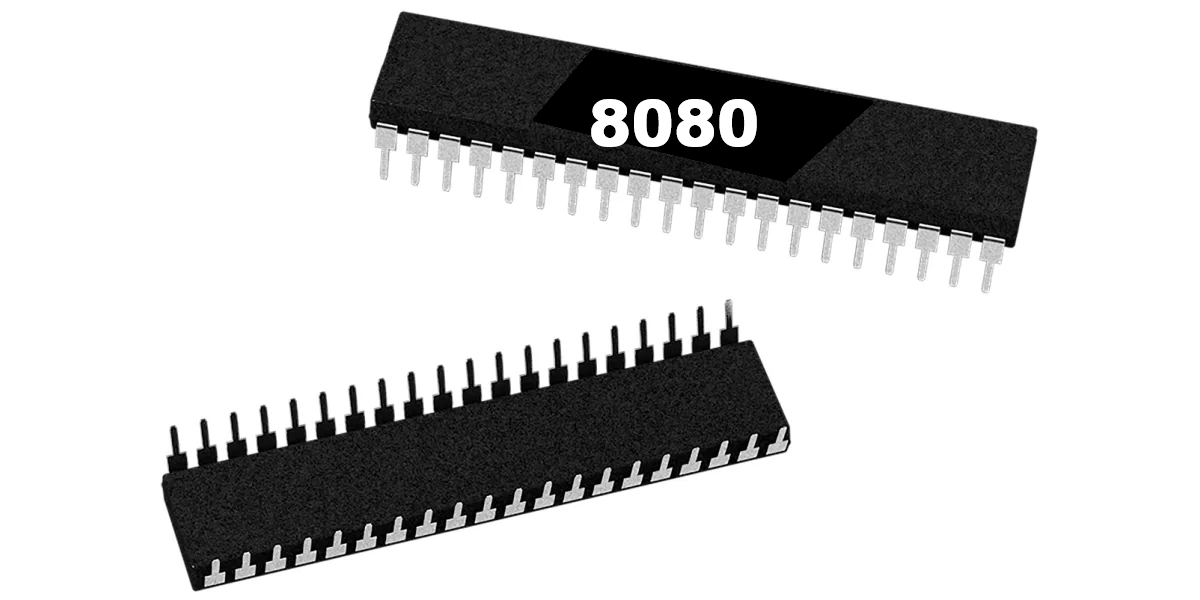
8080 8-Bit Microprocessor (40-Pin CPU) The Intel 8080 is a classic 8-bit microprocessor that powered many early arcade machines. Introduced in the mid-1970s, the 8080 became one of the foundational CPUs used in the first generation of dedicated arcade hardware. On arcade PCBs, the 8080 serves as the main processor responsible for executing the game program, handling player inputs, controlling game timing, and coordinating communication with video and sound hardware. Because it manages core gameplay functions, a properly functioning CPU is essential for reliable arcade board operation. The processor uses a standard 40-pin DIP (Dual In-line Package) and installs into a compatible socket on the arcade PCB. During arcade board troubleshooting or restoration, the 8080 is sometimes replaced to resolve boot failures, game resets, or non-functioning boards. Key Features Intel 8080 8-bit microprocessor Standard 40-pin DIP package Main CPU used in early arcade hardware Handles game logic, timing, and system control Suitable for arcade PCB repair and restoration Used In Arcade Games Such As Space Invaders Space Invaders Deluxe …and other early arcade titles using 8080-based hardware Installation Notes Installs into a standard 40-pin DIP socket on compatible arcade PCBs Ensure correct notch orientation when installing Recommended for technicians performing arcade PCB troubleshooting or restoration *Manufacturer brands or markings may vary.

19-Inch Amplifone Arcade Monitor Bracket Set – Reproduction The 19-Inch Amplifone Monitor Bracket Set is a precision reproduction designed for arcade cabinet restorations. These brackets provide strong support and accurate alignment for Amplifone vector monitor assemblies, helping ensure reliable performance in your classic arcade machine. Ideal for collectors, restorers, and arcade enthusiasts seeking authentic fit and function. Key Features Reproduction of the original 19-inch Amplifone monitor brackets Precision-cut construction for proper fit and long-term stability Durable materials for dependable, long-lasting use Compatible with titles such as Star Wars, Major Havoc, and other vector cabinets using Amplifone monitors Includes complete left and right bracket set for straightforward installation Why This Bracket Set? Using the correct bracket system secures your Amplifone monitor safely while protecting cabinet integrity and delivering authentic arcade performance. Whether restoring a classic machine or replacing worn hardware, this bracket set provides the strength and accuracy required for reliable installation. Compatibility Designed specifically for 19-inch Amplifone vector monitor assemblies commonly found in arcade machines such as Star Wars (Atari), Major Havoc, and other cabinets originally shipped with Amplifone vector monitors. Included in the Set One pair of monitor brackets (left and right) Factory-spec mounting holes for accurate installation

Analog to Digital Thruster Interface for Asteroids Multigame Kit Use the original Lunar Lander analog thruster control with the Asteroids Multigame Kit. The ADL (Asteroids / Asteroids Deluxe / Lunar Lander) Analog to Digital Thruster Interface is a compact interface board designed to work with Braze Technology's Asteroids Multigame Kit. This board converts the analog signal from the Lunar Lander thruster controller into a digital signal that the multigame kit can understand. With this interface installed, the original Lunar Lander analog thrust lever can be used for accurate thrust control when playing Lunar Lander through the Asteroids Multigame Kit. For restorations or new builds, the Lunar Lander Analog Thruster Controller – 2026 Edition is also available and works perfectly with this interface. Key Features Converts analog thruster input to digital signal Designed specifically for Braze Technology Asteroids Multigame Kit Allows Lunar Lander analog thrust controller to function properly Compact interface board for easy installation Includes adjustable trim pots for precise control tuning Compatibility Asteroids Multigame Kit by Braze Technology Compatible with the Lunar Lander Analog Thruster Controller – 2026 Edition Installation Overview Installation is straightforward and requires basic soldering. The interface connects between the multigame kit and the Lunar Lander thruster control. Add the 10-pin header to the Multigame Kit (some newer kits may already include this header). Solder the three-wire cable to the potentiometer of the Lunar Lander thruster control. Connect the interface board to the multigame kit header. Adjust the two trim pots on the interface board to fine-tune the thrust response. The attached install guide has not been updated for the 2026 model. Gallery images reflect the latest revision. Installation Guide Download the Analog to Digital Thruster Interface Installation Guide (PDF) Product Specifications Product Type: Analog to Digital Interface Board Primary Use: Lunar Lander Thruster Controller Support Compatible Kit: Braze Technology Asteroids Multigame Kit Signal Conversion: Analog to Digital Adjustment: Two trim potentiometers for calibration Installation: On Header connection of multigame kit This interface ensures smooth operation and accurate control response, allowing the Lunar Lander analog thruster to work correctly with the Asteroids Multigame Kit while maintaining the authentic feel of the original arcade hardware.

Any Coin Mech for Home Arcades The Any Coin Mech is designed as a direct drop-in replacement for many popular arcade coin mechanisms, including models from Happ, Coinco, Imonex, and other manufacturers. It provides a simple and reliable solution for restoring or upgrading the coin acceptance system in arcade machines. This versatile coin mechanism is ideal for home arcade cabinets and personal arcade setups where flexibility and reliability are important. The design accepts multiple coin types without requiring adjustments, making it easy to install and use. Key Features Direct drop-in replacement for many existing arcade coin mechanisms Accepts quarters, 0.984″ tokens, and dimes with no adjustment required Engineered to reduce coin jams and improve long-term reliability Includes four durable plastic mounting pegs that will not rust Proudly made in the USA Ideal for home arcade cabinets and custom arcade builds Compatibility This coin mechanism has been tested with a wide range of arcade hardware and is compatible with machines manufactured by: Atari Bally Midway Gottlieb Stern Taito Williams Sega and many other arcade manufacturers The Any Coin Mech is a convenient solution for arcade restorations and modern home arcade builds that require a dependable coin acceptor capable of handling multiple coin types.

Atari Cabaret Bezel Retainer This Atari Cabaret Bezel Retainer is manufactured to match the original specifications used on Atari cabaret arcade cabinets. The retainer secures the monitor bezel in place and helps keep the bezel properly aligned within the cabinet front panel. During restoration work, original retainers are often missing, bent, or damaged. This reproduction part provides a clean and reliable replacement, allowing arcade collectors and technicians to properly restore their Atari cabaret machines while maintaining the correct look and fit of the original hardware. Designed to match the mounting layout and dimensions used by Atari, the retainer installs in the same location as the factory part and helps hold the bezel firmly against the cabinet frame. Compatible With Atari Cabaret Games Such As Dig Dug Centipede Tempest and other Atari cabaret arcade cabinets Key Features Reproduction Atari cabaret bezel retainer Manufactured to match original Atari specifications Secures the monitor bezel inside the cabinet Ideal for arcade cabinet restoration and repair Designed for Atari cabaret style cabinets

Atari AVG Custom Chip Replacement The Atari AVG Custom Chip Replacement is designed as a direct substitute for the original Atari AVG chip (Part Number: 137179-001). This custom component functions as the Gate Array / Address Controller used in Atari vector arcade hardware, handling critical addressing and control tasks required for proper system operation. Because the original Atari AVG chip is long discontinued and increasingly difficult to source, this replacement solution provides a reliable option for repairing and restoring classic Atari arcade boards. It is engineered to replicate the functionality of the original DIP package chip while allowing collectors and technicians to keep their vector-based arcade systems running. This chip is commonly used in Atari vector arcade machines where the AVG (Analog Vector Generator) system manages the generation and control of vector graphics displayed on the monitor. Proper operation of this chip is essential for stable gameplay and correct vector drawing. Key Features Replacement for Atari AVG custom chip Compatible with original part number 137179-001 Implements the Gate Array / Address Controller function Designed for repair and restoration of Atari vector arcade boards Helps maintain long-term operation of classic Atari vector systems

Easy CoinUp (E.C.U.) — Quarter-Style Coin-Up Switch It Just Makes Sense! We’ve all seen it: a loose switch dangling from the coin door, or a hole drilled in the cabinet just to add credits. Many games offer a Free Play mode, but some disable attract sounds or visuals—so passers-by never see or hear the game in action. Easy CoinUp fixes that. It’s a pushbutton that looks like a quarter, so everyone knows exactly what it does: add a credit. Installation is simple and causes no permanent damage beyond applying adhesive to the metal coin door. Installation Instructions (Quick & Easy) Peel the backing liner and apply the E.C.U. where you want it mounted. Wrap the “tail” around the coin door, pressing firmly so the adhesive bonds (industrial 3M 300LSE—once it sticks, it sticks). Peel the second liner and apply the “Quarter” overlay to the front of the switch. Solder two wires from the tail’s solder pads to the machine’s coin switch. The E.C.U. is a membrane SPST switch; your machine must expect a single circuit closure (typical for most arcade and pinball machines). Insulate the E.C.U. pins with electrical tape after soldering so they can’t touch grounded metal or other circuits. Note: Installation requires basic soldering. Tips & Tricks Thoroughly clean the mounting area; finish with rubbing alcohol and let it evaporate. Mount near the “Insert Coin” slots so players find it quickly. Avoid high-friction spots on the coin door; look for rubbed paint or scratches and choose a smoother area. If the conductive circuit in the tail is worn through, the switch will stop working—route and secure it thoughtfully. Keep out of reach of children—they may peel or try to swallow the parts.

If the pins were accidentally broken during installation of your kit, they can easily be replaced. This replacement row includes 40 pins, providing everything needed to restore the connection properly. Most kits require 20 pins per side, so this single row contains enough pins to complete a full replacement for the typical installation.

Killer Instinct Kick Harness – JAMMA+ Auxiliary Button Harness The Killer Instinct Kick Harness by HighScoreSaves allows you to connect the additional action buttons required for Killer Instinct arcade boards. Standard JAMMA wiring supports only three action buttons per player, while Killer Instinct and Killer Instinct 2 require additional inputs. This harness provides the necessary wiring for the extra buttons used by Killer Instinct and Killer Instinct 2 for both Player 1 and Player 2. Each harness is approximately 4 feet long, giving you the length needed for clean routing inside your arcade cabinet. All control wires include a .187 female quick disconnect for secure attachment to standard arcade microswitch terminals, ensuring a reliable connection for arcade restorations, repairs, and custom builds. Key Features Killer Instinct auxiliary kick harness by HighScoreSaves Compatible with Killer Instinct and Killer Instinct 2 arcade boards Supports additional action buttons beyond standard JAMMA wiring Approximately 4 feet long for flexible cabinet installation .187 female quick disconnects for dependable microswitch connections Killer Instinct Kick Harness Pinout 1 – Ground 2 – N/C 3 – N/C 4 – N/C 5 – N/C 6 – N/C 7 – Player 1 Quick Punch 8 – Player 1 Medium Punch 9 – Player 1 Fierce Punch 10 – N/C 11 – Player 2 Quick Punch 12 – Player 2 Medium Punch 13 – Player 2 Fierce Punch 14 – N/C 15 – N/C

Mortal Kombat II Kick Harness – JAMMA+ Auxiliary Button Harness The Mortal Kombat II Kick Harness by HighScoreSaves allows you to connect the additional action buttons required for Mortal Kombat arcade boards. Standard JAMMA wiring supports only three action buttons per player, while Mortal Kombat II requires five action buttons per player. This auxiliary harness provides the necessary connections for the Low Punch and Low Kick buttons for both Player 1 and Player 2. Designed for reliability and easy installation, each harness is approximately 4 feet long to allow flexible routing inside your arcade cabinet. Every control wire includes a .187 female quick disconnect for secure attachment to standard arcade microswitch terminals. Key Features Kick Harness for Mortal Kombat II by HighScoreSaves Supports Player 1 and Player 2 auxiliary kick buttons Required for MK2 boards using JAMMA+ wiring Approximately 4 feet long for flexible cabinet installation .187 female quick disconnects on all control wires Quality connectors designed for reliable arcade operation Why a Kick Harness is Needed Standard JAMMA wiring supports only three action buttons per player. Mortal Kombat arcade boards require additional controls for Low Punch and Low Kick, which must be connected using a separate kick harness. Mortal Kombat II Kick Harness Pinout 1 – N/C 2 – N/C 3 – N/C 4 – N/C 5 – N/C 6 – N/C 7 – Player 1 Low Punch 8 – Player 1 Low Kick 9 – N/C 10 – N/C 11 – Player 2 Low Punch 12 – Player 2 Low Kick 13 – N/C 14 – N/C 15 – N/C Mortal Kombat I Kick Harness Pinout 1 – N/C 2 – N/C 3 – N/C 4 – Player 2 Low Punch 5 – N/C 6 – Key 7 – Player 2 Low Kick 8 – N/C 9 – Player 1 Low Punch 10 – Player 1 Low Kick 11 – N/C 12 – N/C

Mortal Kombat 3 Kick Harness – JAMMA+ Auxiliary Button Harness The Mortal Kombat 3 Kick Harness by HighScoreSaves allows you to connect the additional action buttons required for Mortal Kombat arcade boards. Standard JAMMA wiring supports only three action buttons per player, while Mortal Kombat 3 style games require additional inputs. This harness supports Mortal Kombat 3, Ultimate Mortal Kombat 3, and Mortal Kombat 4. It provides the necessary wiring for the Low Punch, Low Kick, and Run buttons for both Player 1 and Player 2. Each harness is approximately 4 feet long, providing enough length for clean routing inside your arcade cabinet. All control wires include a .187 female quick disconnect for secure attachment to standard arcade microswitch terminals. Key Features Mortal Kombat 3 kick harness by HighScoreSaves Compatible with Mortal Kombat 3, Ultimate Mortal Kombat 3, and Mortal Kombat 4 Supports additional arcade control inputs beyond standard JAMMA wiring Approximately 4 feet long for flexible cabinet installation .187 female quick disconnects for reliable microswitch connections Ideal for arcade restorations, repairs, and custom builds Mortal Kombat 3 Kick Harness Pinout Connector P12 7 – Player 1 Low Punch (LP1) 8 – Player 1 Low Kick (LK1) 9 – Player 1 Run 11 – Player 2 Low Punch (LP2) 12 – Player 2 Low Kick (LK2) 13 – Player 2 Run

NBA Jam Player 3 / Player 4 Kick Harness – JAMMA+ Auxiliary Harness The NBA Jam Player 3 and Player 4 Kick Harness allows you to connect the additional controls required for four-player arcade cabinets. This auxiliary JAMMA+ harness provides wiring for the Player 3 or Player 4 joystick and buttons. Compatible with NBA Jam, NBA Jam Tournament Edition, and NBA Maximum Hangtime, this harness allows you to properly connect the Player 3 or Player 4 controls to your arcade cabinet. Each harness is approximately 4 feet long, giving you the length needed for clean routing inside your cabinet. You will need two harnesses if you want to connect both Player 3 and Player 4 controls. Key Features NBA Jam Player 3 / Player 4 auxiliary JAMMA+ harness Compatible with NBA Jam, NBA Jam Tournament Edition, and Maximum Hangtime Provides wiring for Player 3 or Player 4 joystick and buttons Approximately 4 feet long for flexible cabinet installation Ideal for restoring or building four-player arcade cabinets Pinout 1 – Ground 2 – N/C 3 – N/C 4 – N/C 5 – N/C 6 – Start 7 – Up 8 – Down 9 – Left 10 – Right 11 – Shoot / Block 12 – Pass / Steal 13 – Turbo 14 – N/C 15 – N/C

WWF WrestleMania Arcade Kick Harness – JAMMA+ Auxiliary Button Harness The WWF WrestleMania Arcade Kick Harness allows you to connect the additional action buttons required for the WWF WrestleMania arcade board. Standard JAMMA wiring supports only three action buttons per player, while WrestleMania uses five action buttons per player. This auxiliary harness provides the necessary wiring for the bottom buttons for both Player 1 and Player 2. Each harness is approximately 4 feet long, providing the length needed for clean routing inside your arcade cabinet. Every wire includes a .187 female quick disconnect for secure attachment to standard arcade microswitch terminals. Key Features WWF WrestleMania auxiliary kick harness for JAMMA+ arcade boards Allows connection of the extra action buttons required by the game Approximately 4 feet long for flexible cabinet installation .187 female quick disconnects for reliable microswitch connections Designed for arcade cabinet restorations and repairs Pinout Reference Wrestlemania Style Kick Harness Pinout 1 – N/C 2 – N/C 3 – N/C 4 – N/C 5 – N/C 6 – N/C 7 – Player 1 Low Punch 8 – Player 1 Low Kick 9 – N/C 10 – N/C 11 – Player 2 Low Punch 12 – Player 2 Low Kick 13 – N/C 14 – N/C 15 – N/C
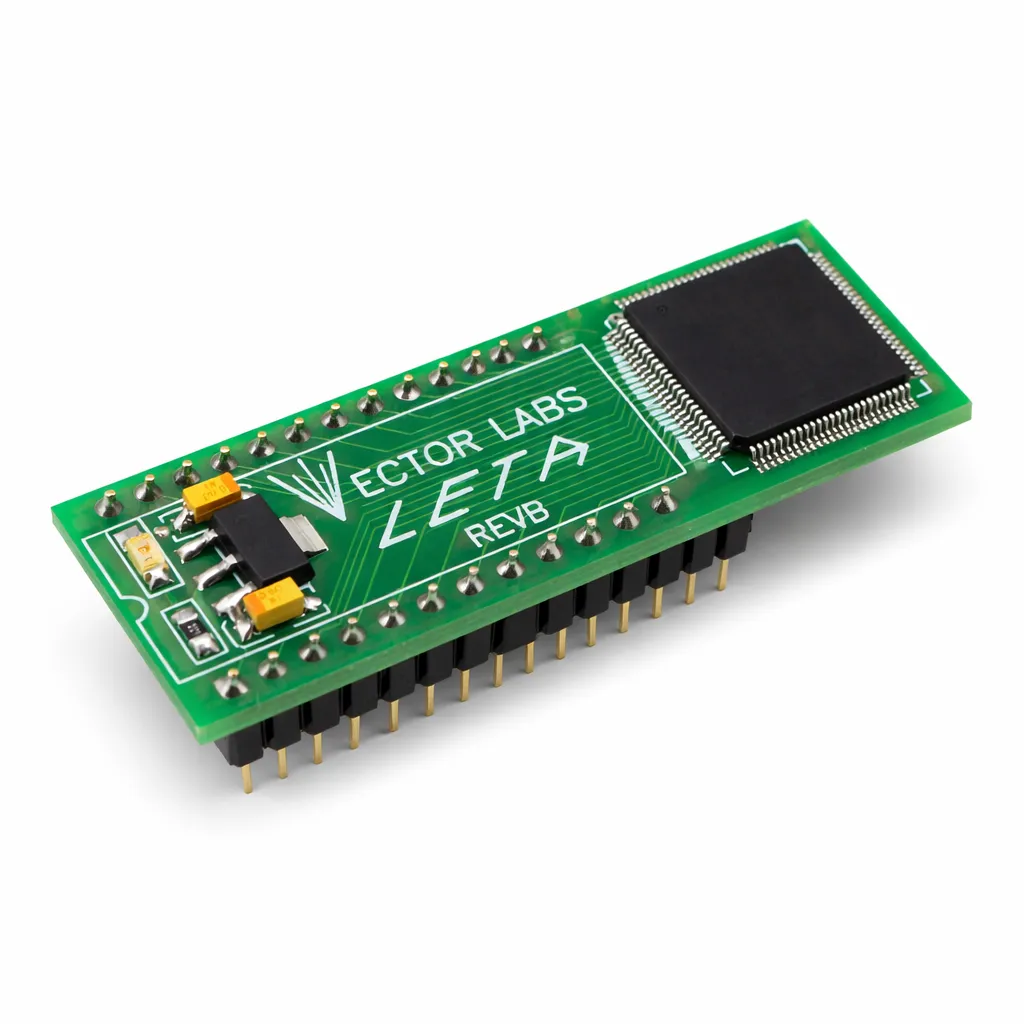
LETA Replacement Chip for Atari Arcade Boards Modern replacement for the original Atari LETA custom chip used in classic arcade machines. The LETA Replacement Chip is designed to replace a failed or aging LETA chip found on certain Atari arcade PCBs. This updated version uses modern surface-mount components to improve reliability while maintaining full compatibility with the original hardware. Original LETA chips can fail over time due to age, heat, or electrical stress. When the chip fails, games that rely on it may exhibit control issues, boot problems, or improper input behavior. This replacement solution restores proper functionality while providing long-term reliability for arcade restoration and repair projects. Key Features Direct replacement for the original Atari LETA custom chip Uses modern surface-mount components for improved reliability Designed for long-term operation in classic arcade hardware Helps restore proper functionality to affected arcade PCBs Ideal for arcade technicians and restoration projects Compatibility Major Havoc (Atari) Other Atari arcade boards that utilize the LETA chip Installation Notes Remove the original LETA chip from the PCB Install the replacement chip in the correct orientation Ensure the board is powered off during installation Recommended for technicians familiar with arcade PCB repair Product Specifications Product Type: Arcade PCB Replacement Chip Replacement For: Atari LETA Custom Chip Technology: Modern surface-mount components Application: Atari arcade PCB repair and restoration Installation: Direct replacement for original chip This LETA replacement chip provides a dependable solution for repairing classic Atari arcade boards and helps keep vintage arcade machines running reliably for years to come.

Lunar Lander Analog Thrust Controller – 2026 Edition The Lunar Lander Analog Thrust Controller – 2026 Edition is a high-quality reproduction of the original Atari controller, part number A034442-01. This controller is designed to closely match the look, feel, and performance of the original hardware used in dedicated Lunar Lander arcade cabinets. Built specifically for classic Atari vector arcade restorations, this reproduction controller provides the smooth analog input required for accurate thrust control during gameplay. The design replicates the original controller assembly so collectors and technicians can restore cabinets while maintaining authentic gameplay. Authentic Arcade Control The Lunar Lander game relies on precise analog thrust control, and this reproduction controller delivers the same responsive feel found on original Atari machines. Smooth movement and accurate input allow players to carefully control descent and land safely on the lunar surface, just as intended in the original arcade experience. Includes Correct Plastic Shroud This reproduction controller includes the correct plastic thrust controller shroud, matching the appearance and spacing used on original Atari cabinets. The shroud surrounds the controller assembly and helps restore the authentic look of the control panel area. Multigame Compatibility In addition to dedicated Lunar Lander cabinets, this controller also works with Asteroids and Asteroids Deluxe multigame High Score Save Kits. When used with these multigame kits, the Analog to Digital Thruster Interface allows the original Lunar Lander analog thruster control to function correctly by converting the analog input into a digital signal that the multigame kit can process. Product Highlights Original Atari part number: A034442-01 Accurate reproduction of the original Lunar Lander thrust controller Smooth and responsive analog thrust input Includes correct reproduction plastic shroud Compatible with Asteroids and Asteroids Deluxe multigame save kits Works with the Analog to Digital Thruster Interface for multigame installations Ideal for arcade cabinet restoration, repair, or upgrade Product Specifications Product Type: Arcade Analog Thruster Controller Game Compatibility: Lunar Lander Compatible Multigame Kits: Asteroids / Asteroids Deluxe Multigame Atari Part Number: A034442-01 Includes: Thruster controller and reproduction plastic shroud Installation: Mounts to control panel and connects to thruster potentiometer Whether restoring a dedicated Lunar Lander arcade cabinet or upgrading a vector multigame setup, this controller provides the authentic analog control experience that made this classic Atari game so memorable.

Lunar Lander Analog Thrust Controller Shroud – A034445-01 The Lunar Lander Analog Thrust Controller Shroud, Atari part number A034445-01, is a high-quality reproduction of the original plastic shroud used on the Lunar Lander arcade analog thrust controller assembly. This part is designed to closely match the size, shape, and appearance of the original component used in Atari Lunar Lander cabinets. The shroud surrounds the thrust controller mechanism and provides the correct spacing and visual finish for the control panel area. Many original shrouds have become brittle, cracked, or damaged after decades of use. This reproduction part allows collectors and restorers to replace worn components and restore the authentic look and function of the original arcade hardware. Authentic Arcade Restoration Part This reproduction shroud was created to replicate the original Atari part used in Lunar Lander arcade machines. It fits properly with the analog thrust controller assembly and helps maintain the original appearance of the control panel. Shroud Only This listing includes the plastic shroud only. The thrust controller, potentiometer, wiring, mounting hardware, and other electronics are not included. This part is intended for restorations where the original shroud is missing, cracked, or otherwise damaged. Product Highlights Original Atari part number: A034445-01 Accurate reproduction of the original Lunar Lander thrust controller shroud Designed for Atari Lunar Lander arcade cabinets Correct size and appearance for authentic restorations Helps restore the original look of the control panel assembly Compatible Game Lunar Lander (Atari) Whether you are completing a full cabinet restoration or replacing a damaged component, this reproduction shroud helps restore the correct look and fit of the original Lunar Lander analog thrust controller hardware. This part is ideal for arcade collectors, technicians, and enthusiasts who want to preserve the authenticity of their classic Atari vector arcade machines.

Lunar Lander Reproduction Marquee (Atari Part # 034513-01) Bring your cabinet back to liftoff-ready condition with a Lunar Lander reproduction marquee that looks right, feels right, and installs like the real deal. This is a silk-screened acrylic marquee—not a flimsy “looks fine from 10 feet” print on cheap translite material. If you’re restoring a classic Atari icon, this is the marquee that belongs on top. Why This Marquee Is Different Silk-screened for bold color, crisp detail, and a classic arcade finish Real acrylic—no thin translite material, no budget “poster” feel Restoration-correct sizing for an authentic look in the header area Collector-friendly build that’s made to last under real arcade lighting Specs and Details Game: Lunar Lander Type: Reproduction marquee Material: Acrylic (not translite) Printing: Silk screened Approximate size: 23 5/8 x 8 1/4 x 3/16 inch Atari part number: 034513-01 Perfect For Whether you’re doing a full restore, cleaning up a player’s cabinet, or upgrading a faded original, this marquee adds that “wow” moment when the game powers on. Clean lines. Classic Atari style. And it looks fantastic with fresh lighting. Installation Notes Marquees typically mount in the standard top channel area of the cabinet. Always measure your existing opening and compare to the dimensions above before ordering, especially if your cabinet has been modified over the years. Handle acrylic with care to avoid scratches during test fitting. Condition and What You’ll Receive You will receive one Lunar Lander reproduction marquee (Atari part # 034513-01) as described above. This listing is for the marquee only—cabinet, lighting, brackets, and other parts are not included. Resources Installation Guides PDF Wi-Fi Enabled vs Standard Kits HighScoreSaves.com

MB14241 Reproduction Data Shifter (Space Invaders / Deluxe Replacement) Bring your classic Midway Taito hardware back to life with this MB14241 Reproduction Data Shifter. This new-manufacture IC is a drop-in, pin-compatible replacement for the original MB14241 custom chip found on Space Invaders and Space Invaders Deluxe arcade PCBs. If your game is showing scrambled, misaligned, or missing graphics, the data shifter is often the culprit—this reproduction restores proper video output. Key Features Direct replacement for the MB14241 data shifter IC used in Taito/Midway Space Invaders boards. 28-pin DIP footprint for easy socketed installation. 100% new components — no recycled pulls. Batch tested for reliable timing and stable video performance. Packaged in anti-static protective wrap for safe handling. Typical Compatibility Space Invaders (Midway/Taito original) Space Invaders Deluxe Other hardware revisions and licensed boards that call out MB14241 in the parts list Always confirm your PCB revision before ordering — some bootlegs and conversions may use alternate ICs. Installation Notes Verify if you need to install a socket for this product.Power down and discharge your cabinet before handling the PCB. Use proper ESD precautions; install into a quality 28-pin socket. Align the orientation notch with the board silkscreen to avoid damage. If video issues persist, check related RAMs/ROMs and edge connector signals. Why Replace the MB14241? After decades of operation, the original MB14241 chips frequently fail, causing garbled aliens, misplaced rows, or blank areas on screen. This reproduction restores clean and correct shifting of video data, ensuring your Space Invaders plays and looks the way it did in 1978. What’s Included 1× MB14241 Reproduction Data Shifter Protective anti-static packaging Space Invaders is a trademark of Midway | Taito Corporation. This is a third-party reproduction component intended for use as a service replacement on original arcade hardware.