
Cosmic Avenger Free Play and High Score Save Kit


Product information "Cosmic Avenger Free Play and High Score Save Kit"
Cosmic Avenger Free Play and High Score Save Kit for Universal Arcade PCB
Upgrade your original Cosmic Avenger arcade PCB with reliable free play, high score saving, attract sound enhancements, and optional Wi-Fi leaderboard support while preserving authentic gameplay and original arcade hardware.
Designed specifically for original Universal hardware, this plug and play upgrade improves long-term reliability without changing gameplay, timing, sound, or the classic arcade experience collectors expect.
Play without coins while retaining optional coin operation.
Stores the Top 7 scores using reliable EEPROM storage.
Upload scores online to global arcade leaderboards.
Designed for authentic Universal arcade PCB gameplay.
Upgrade Your Cosmic Avenger Arcade Experience
Restore and enhance your original Cosmic Avenger arcade machine with a professionally designed Free Play and High Score Save Kit built specifically for authentic Universal arcade hardware.
Original boards often lose high scores, rely on aging components, or suffer from unstable resets. This upgrade modernizes your PCB while preserving the original gameplay, sound effects, timing, and arcade feel that made Cosmic Avenger a memorable early 1980s arcade shooter.
Unlike multigame systems or reproduction boards, this kit keeps your original arcade PCB intact while improving long-term reliability for collectors, operators, and restoration projects.
Included Features
- Easy Installation: No soldering or board modifications required
- Reliable Score Saving: Serial EEPROM storage with no batteries required
- High Score Save: Stores the Top 7 scores
- Attract Sounds: Plays audio during 100% of attract rotations
- Freeplay Mode: Unlimited play without coins
- Coin-Up Support: Still accepts quarters or tokens
- Attract Mode Protection: Gameplay demos help reduce screen burn
- On-Screen DIP Settings: Configure settings directly from the menu
- ROM Saver: Optionally remove original program ROMs
- Cabinet Compatibility: Works in Upright and Cocktail cabinets
- Separate Score Tables: Eight tables based on lives and difficulty settings
- Backup and Restore: Perfect for parties and tournaments
- Stealth Mode: Boots with a stock appearance while preserving all save features
Installation Information
- Installation Difficulty: Easy
- Soldering Required: No, if CPU is socketed
- Processor Requirement: Requires a Z80 processor
- Socketed CPU Required: Install a 40-pin socket if needed
- Cabinet Compatibility: Upright and Cocktail supported
- Installation Guide: Download PDF Installation Guide
Optional Wi-Fi Features and Online Leaderboards
Upgrade to a Wi-Fi Enabled Kit to upload scores online and compete against players around the world, locally within your arcade, or across your own connected cabinet network.
Standard kits save scores locally to the PCB, while Wi-Fi kits add automatic online score syncing through the HighScoreSaves global leaderboard platform.
Cosmic Avenger Free Play and High Score Save Kit FAQ
How many scores are saved?
The kit saves the Top 7 high scores.
Does it support Freeplay and coin use?
Yes. The kit supports both Freeplay and Coin-Up operation.
Are separate score tables included?
Yes. The kit includes 8 separate high-score tables based on difficulty and lives settings.
What is Stealth Mode?
Stealth Mode boots to appear original while keeping all save features active.
Which processor is required?
A Z80 processor is required and must be socketed.
Can I adjust settings on-screen?
Yes. All settings are configurable directly through the on-screen menu system.
Where can I download the Installation Guide?
Login
1 review
September 23, 2025 2:43 PM
Cosmic Avenger
I recently purchased this pcb and was super happy Highscoresaves.com offered a kit that saves high scores and has a free play option. It makes you want to play the game more when there is a high score to beat. I also really like the option of adjusting how often the attract sounds play. The kit is super easy to install.
Level up with these!
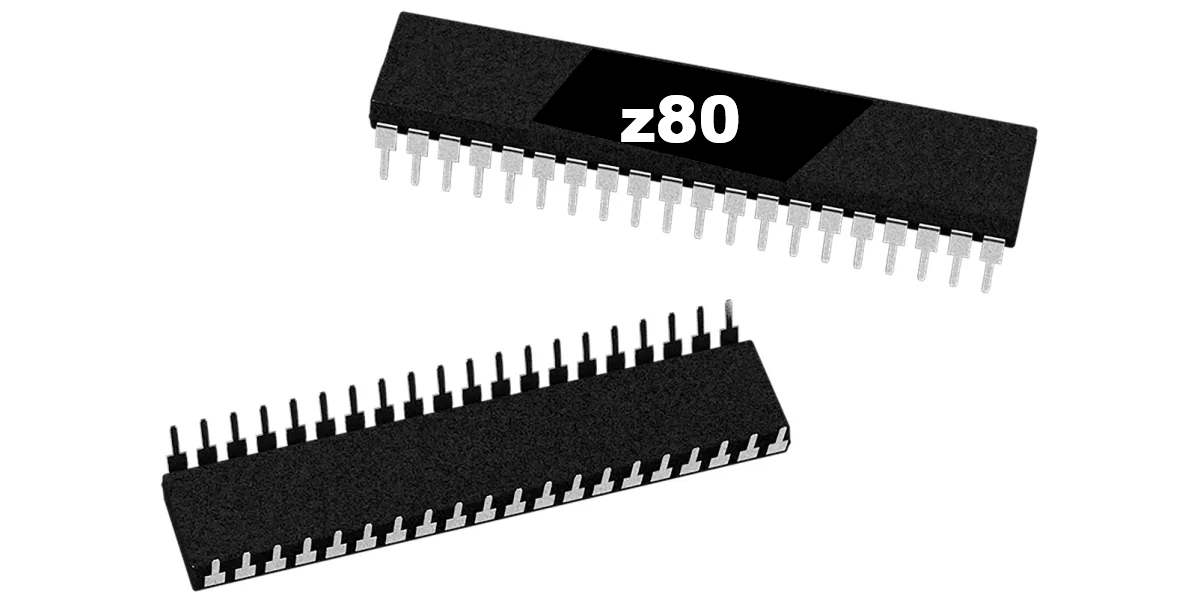
Z80 8-Bit Microprocessor (40-Pin CPU) The Z80 is a classic 8-bit microprocessor widely used in arcade machines from the late 1970s through the 1980s. This processor served as the main CPU in many arcade PCBs, executing game code, processing player inputs, and coordinating communication with memory, sound hardware, and video circuitry. The Z80 became one of the most popular processors in arcade hardware due to its reliability and expanded instruction set compared to earlier CPUs. Because of its widespread use, the Z80 is commonly found in a variety of classic arcade games and remains an essential component when repairing or restoring vintage arcade boards. This processor uses a standard 40-pin DIP (Dual In-line Package) and installs directly into a compatible socket on the arcade PCB. Replacing a faulty CPU can often resolve boot failures, lockups, or other operational issues in aging arcade hardware. Key Features Z80 8-bit microprocessor Standard 40-pin DIP package Common CPU used in many classic arcade PCBs Handles core game logic, timing, and system control Ideal for arcade PCB troubleshooting, repair, and restoration Used In Arcade Games Such As Donkey Kong Galaga Donkey Kong Jr. Frogger Galaxian Dig Dug Xevious …and many other classic arcade titles Installation Notes Installs into a standard 40-pin DIP socket on compatible arcade PCBs Ensure correct notch orientation when installing the CPU Recommended for technicians performing arcade board repair or restoration *Manufacturer brands or markings may vary.

40-Pin Socket Specifications This 40-pin DIP socket is designed for reliable installation of integrated circuits and arcade daughter boards that use a standard 40-pin layout. Using a socket allows the chip or module to be easily removed or replaced without soldering directly to the PCB, helping protect the board during upgrades, repairs, or troubleshooting. Pin Pitch: 2.54 mm (0.100″) standard DIP spacing Total Pins: 40 pins arranged in two rows (2×20) Mounting Type: Through-hole (THT) for secure soldered installation Compatibility: Designed for standard 40-pin DIP integrated circuits and modules Installation Benefit: Allows ICs to be inserted or removed without repeated soldering Use Case: Ideal for arcade PCB upgrades, ROM installations, and repair work The standard 2.54 mm (0.100″) pin spacing matches the layout used on most classic arcade PCBs and DIP integrated circuits. Once soldered to the board, the socket provides a stable connection while allowing the chip to be safely inserted and removed when needed.
Spark your interest -

Bomb Jack Free Play and High Score Save Kit for Tehkan Arcade PCB Upgrade your original Bomb Jack arcade PCB with reliable free play, high score saving, attract sound enhancements, and optional Wi-Fi leaderboard support while preserving authentic gameplay and original arcade hardware. Designed specifically for original Tehkan hardware, this plug and play upgrade improves long-term reliability without changing gameplay, timing, sound, or the classic arcade experience collectors expect. Original Arcade Hardware • No Emulation • No Gameplay Changes • Designed for Authentic Arcade PCBs View Install Guide Free Play Play without coins while retaining optional coin operation. High Score Saving Stores the Top 10 scores directly on screen. Optional Wi-Fi Upload scores online to global arcade leaderboards. Original Hardware Designed for authentic Tehkan arcade PCB gameplay. Upgrade Your Bomb Jack Arcade Experience Restore and enhance your original Bomb Jack arcade machine with a professionally designed Free Play and High Score Save Kit built specifically for authentic Tehkan arcade hardware. Original boards often lose high scores, rely on aging components, or suffer from unstable resets. This upgrade modernizes your PCB while preserving the original gameplay, sound effects, timing, and arcade feel that made Bomb Jack a beloved arcade classic. Unlike multigame systems or reproduction boards, this kit keeps your original arcade PCB intact while improving long-term reliability for collectors, operators, and restoration projects. Included Features Easy Installation: No soldering, board modifications, or special wiring required High Score Save: Saves the Top 10 scores directly on screen Real Attract Sounds: Includes authentic gameplay sound effects Attract Sound Options: Adjustable attract sound frequency settings Free Play and Coin-Up: Supports both gameplay styles Menu-Driven Settings: Configure options directly from the cabinet ROM Saver: Optionally remove original ROMs to reduce power usage Cabinet Compatibility: Supports Upright and Cocktail cabinets No Emulation: Designed for authentic original arcade hardware Backup and Restore: Save and restore high scores anytime Fast Boot and Self-Test: Quickly verify hardware operation Attract Mode Protection: Improved attract mode behavior helps reduce screen burn Installation Information Installation Difficulty: Easy Soldering Required: No Socketed Z80 Required: Install a 40-pin socket if needed Cabinet Compatibility: Upright and Cocktail supported Installation Guide: Download PDF Installation Guide Optional Wi-Fi Features and Online Leaderboards Learn About Wi-Fi Enabled Kits Upgrade to a Wi-Fi Enabled Kit to upload scores online and compete against players around the world, locally within your arcade, or across your own connected cabinet network. Standard kits save scores locally to the PCB, while Wi-Fi kits add automatic online score syncing through the HighScoreSaves global leaderboard platform. View Global Arcade High Scores Bomb Jack Free Play and High Score Save Kit FAQ How many scores are saved? The kit saves the Top 10 scores directly on screen. Does it support Free Play and coin operation? Yes. You can use either Free Play or traditional coin-up operation. What are real attract sounds? Attract mode can include authentic gameplay sound effects for a more arcade-accurate experience. Can I change settings without opening the cabinet? Yes. Most options are configured through the on-screen menu system. Do I need a socketed CPU? Yes. A socketed Z80 CPU is required for installation. Where can I download the installation guide? Download the Bomb Jack Installation Guide PDF Designed and supported by HighScoreSaves for arcade collectors, restorers, and original hardware enthusiasts. Resources 1. Bomb Jack Installation Guide PDF 2. Setup Tips and Configuration Guide 3. HighScoreSaves YouTube Channel 4. HighScoreSaves Facebook Page 5. HighScoreSaves eBay Store

Venture Free Play and High Score Save Kit for Exidy Arcade PCB Upgrade your original Venture arcade PCB with reliable free play, high score saving, fast boot support, and optional Wi-Fi leaderboard functionality while preserving authentic gameplay and original arcade hardware. Designed specifically for original Exidy hardware, this plug and play upgrade improves long-term reliability without changing gameplay timing, controls, sound, or the classic arcade experience collectors expect. Original Arcade Hardware • No Emulation • No Gameplay Changes • Designed for Authentic Arcade PCBs View Install Guide Free Play Play without coins while retaining optional coin operation. High Score Saving Stores the Top 5 scores using reliable EEPROM storage. Fast Boot Support Quick startup with optional Stealth Mode support. Optional Wi-Fi Upload scores online to global arcade leaderboards. Upgrade Your Venture Arcade Experience Restore and enhance your original Venture arcade machine with a professionally designed Free Play and High Score Save Kit built specifically for authentic Exidy arcade hardware. Original boards often lose high scores, rely on aging components, or suffer from unstable resets. This upgrade modernizes your PCB while preserving the original gameplay, controls, timing, and arcade feel that made Venture one of the most memorable dungeon-style arcade games of the early 1980s. Unlike multigame systems or reproduction boards, this kit keeps your original arcade PCB intact while improving long-term reliability for collectors, operators, and restoration projects. Important Installation Notes Socketed 6502 required: Install a 40-pin socket if your CPU is soldered directly to the PCB ROM Saver support: Original program ROMs may optionally be removed Read the Venture Installation Guide before installation Included Features Easy Installation: No soldering, board modifications, or special wiring required Permanent Score Saving: Reliable serial EEPROM storage instead of batteries or NVRAM High Score Save: Stores the Top 5 scores Attract Sounds: Adjustable to 25%, 50%, or 100% attract rotation Freeplay Mode: No more coins or opening the coin door Coin-Up Support: Continue using quarters or tokens if desired Attract Mode Protection: Helps reduce static screen burn Copyright Message: Choose original manufacturer or HighScoreSaves branding On-Screen DIP Settings: Change settings directly through the menu system ROM Saver: Optionally remove original program ROMs Cabinet Compatibility: Works in Upright and Cocktail cabinets Backup and Restore: Save and restore high scores anytime Reset Button: Restart the game instantly without powering off Separate Score Tables: Supports unique tables for 2–5 lives settings Fast Boot: Quick startup with minimal initialization time Stealth Mode: Boots directly into gameplay mode Installation Information Installation Difficulty: Easy Soldering Required: No, if CPU is socketed Processor Requirement: Requires a 6502 processor Socketed CPU Required: Install a 40-pin socket if needed Cabinet Compatibility: Upright and Cocktail supported Installation Guide: Download PDF Installation Guide Optional Wi-Fi Features and Online Leaderboards Learn About Wi-Fi Enabled Kits Upgrade to a Wi-Fi Enabled Kit to upload scores online and compete against players around the world, locally within your arcade, or across your own connected cabinet network. Standard kits save scores locally to the PCB, while Wi-Fi kits add automatic online score syncing through the HighScoreSaves global leaderboard platform. View Global Arcade High Scores Venture Free Play and High Score Save Kit FAQ Is installation truly plug-and-play? Yes. No soldering or modifications are needed if your 6502 processor is already socketed. What’s the difference between Wi-Fi and Standard kits? Wi-Fi kits upload and sync scores online while Standard kits save scores locally only. How many scores does it save? The kit stores the Top 5 scores. Does it support Freeplay and Coin-Up? Yes. Use Freeplay or continue accepting coins and tokens. Are there separate score tables for different lives settings? Yes. Separate high-score tables are supported for 2–5 lives settings. Can I back up and restore high scores? Yes. Backup and Restore functionality is included. Which cabinets are supported? Upright and Cocktail Venture cabinets are both supported. What does ROM Saver do? ROM Saver allows optional removal of the original program ROMs. What CPU is required? A socketed 6502 processor is required. Where can I download the Installation Guide? Venture Installation Guide PDF Designed and supported by HighScoreSaves for arcade collectors, restorers, and original hardware enthusiasts. Resources 1. Venture Installation Guide PDF 2. Setup Tips and Configuration Guide 3. HighScoreSaves YouTube Channel 4. HighScoreSaves Facebook Page 5. HighScoreSaves eBay Store

Frogger Free Play and High Score Save Kit for Konami and SEGA/Gremlin Arcade PCBs Upgrade your original Frogger arcade PCB with reliable free play, high score saving, initials entry, and optional Wi-Fi leaderboard functionality while preserving authentic gameplay and original arcade hardware. Designed specifically for original Konami and SEGA/Gremlin hardware, this plug and play upgrade improves long-term reliability without changing gameplay timing, controls, sound, or the classic arcade experience collectors expect. Original Arcade Hardware • No Emulation • No Gameplay Changes • Designed for Authentic Arcade PCBs View Install Guide Free Play Play without coins while still supporting optional Coin Up operation. High Score Saving Permanently saves the Top 5 scores with initials entry support. Stealth Mode Access the menu by holding Player 1 during power-on. Optional Wi-Fi Upload scores online to global arcade leaderboards. Upgrade Your Frogger Arcade Experience Restore and enhance your original Frogger arcade machine with a professionally designed Free Play and High Score Save Kit built specifically for authentic Konami and SEGA/Gremlin arcade hardware. Original boards often lose high scores, rely on aging components, or suffer from unstable resets. This upgrade modernizes your PCB while preserving the original gameplay, controls, timing, and arcade feel that made Frogger one of the most recognizable and beloved arcade games ever created. Unlike multigame systems or reproduction boards, this kit keeps your original arcade PCB intact while improving long-term reliability for collectors, operators, and restoration projects. Available Kit Options Build your kit exactly how you want it. Choose between a Wi-Fi Enabled Kit or a Standard Save Kit. Optional processor and socket upgrades are also available to simplify installation on original hardware. Important Installation Notes PCB Compatibility: Works on original Konami or SEGA/Gremlin PCBs with a 36-pin edge connector Socketed Z80 required: Install a 40-pin socket if your Z80 processor is soldered directly to the board Read the Frogger Installation Guide before starting installation Included Features Easy Installation: No soldering, board modifications, or special wiring required Permanent Score Saving: Uses reliable serial EEPROM instead of batteries or failure-prone NVRAM High Score Save: Saves the Top 5 scores directly on-screen Initial Entry: Enter and permanently save player initials Attract Logo Choice: Switch between manufacturer and HighScoreSaves logos Freeplay Mode: No coins needed while still supporting Coin Up Attract Mode Screen Saver: Helps reduce monitor burn-in Menu-Driven DIP Settings: Change options without pulling the cabinet ROM Saver: Remove original program ROMs to reduce board power usage Cabinet Support: Works in Upright and Cocktail cabinets Backup and Restore: Save and restore highscores anytime Separate Score Tables: Unique high-score tables for 2, 3, or 4 lives Stealth Mode: Access the menu by holding Player 1 while powering on Installation Information Installation Difficulty: Easy Soldering Required: No, if CPU is socketed Processor Requirement: Requires a Z80 processor Socketed CPU Required: Install a 40-pin socket if needed PCB Compatibility: Original Konami and SEGA/Gremlin Frogger PCBs Cabinet Compatibility: Upright and Cocktail supported Installation Guide: Download PDF Installation Guide Optional Wi-Fi Features and Online Leaderboards Learn About Wi-Fi Enabled Kits Upgrade to a Wi-Fi Enabled Kit to upload scores online and compete against players around the world, locally within your arcade, or across your own connected cabinet network. Standard kits save scores locally to the PCB, while Wi-Fi kits add automatic online score syncing through the HighScoreSaves global leaderboard platform. View Global Arcade High Scores Frogger Free Play and High Score Save Kit FAQ Which game does this kit support? This kit is designed specifically for Frogger arcade PCBs. How many high scores are saved? The kit saves the Top 5 scores with initials support. Does it support Freeplay and Coin Up? Yes. You can enable Freeplay while still keeping Coin Up active. Can I change DIP settings? Yes. All DIP options are menu-driven through the on-screen menu system. What additional features are included? Backup and Restore, separate score tables, initials entry, and Stealth Mode are all included. Does it support Cocktail cabinets? Yes. Works in both Upright and Cocktail cabinets. What is Stealth Mode? Hold Player 1 during power-on to access the hidden menu system. Where can I download the Installation Guide? Download the Frogger Installation Guide PDF Designed and supported by HighScoreSaves for arcade collectors, restorers, and original hardware enthusiasts. Resources 1. Frogger Free Play and High Score Save Kit — Installation Guide PDF 2. Setup Tips and Configuration Guide 3. HighScoreSaves YouTube Channel — Installation Tips 4. HighScoreSaves Facebook Page 5. HighScoreSaves eBay Store

Super Multipede Multigame Free Play and High Score Save Kit Upgrade your original Millipede arcade PCB with reliable free play, permanent high score saving, attract sounds, optional Wi-Fi leaderboard support, and multigame functionality while preserving authentic gameplay and original arcade hardware. Designed specifically for original Atari hardware, this plug and play multigame upgrade improves long-term reliability without changing gameplay timing, controls, sound, or classic arcade behavior collectors expect. Games Included: Centipede • Millipede • Super Breakout • Warlords Original Arcade Hardware • No Emulation • No Gameplay Changes • Designed for Authentic Arcade PCBs View Installation Guide 4 Games Included Instantly switch between Centipede, Millipede, Super Breakout, and Warlords. Permanent High Scores Saves Top 8 or Top 5 scores depending on the selected game. Attract Sounds Adjustable attract sounds at 25%, 50%, or 100%. Optional Wi-Fi Upload scores online to global arcade leaderboards. Upgrade Your Atari Arcade Experience Restore and enhance your original Millipede arcade machine with a professionally designed multigame Free Play and High Score Save Kit built specifically for authentic Atari hardware. Original boards often lose scores, rely on aging components, or suffer from unstable resets. This upgrade modernizes your PCB while preserving the original gameplay, controls, timing, and arcade gameplay experience collectors and enthusiasts expect. Unlike emulation or multicade systems, this kit preserves authentic arcade hardware behavior while adding modern conveniences like score saving, free play, attract sounds, and optional online leaderboard support. Hardware Compatibility Original Hardware: Designed for Atari Millipede arcade PCBs Compatibility: This kit installs on a Millipede PCB only Processor Requirement: Requires a socketed 6502 processor Cabinet Compatibility: Works in Upright and Cocktail cabinets Customize Your Super Multipede Kit Build your kit exactly how you want it. Choose a Wi-Fi Enabled Kit or a Standard Save Kit. You can also add a processor and/or a 40-pin socket—optional but recommended for easier installation. Main Features Easy Install: No soldering, board modifications, or special wiring required Permanent High Score Saving: Uses reliable serial EEPROM instead of failure-prone NVRAM or batteries High Score Save: Centipede and Millipede save Top 8 scores while Super Breakout and Warlords save Top 5 Separate Score Tables: Separate score tables for Centipede, Millipede, and Super Breakout ROM Revisions: Uses the most current ROM revisions available Attract Sounds: Adjustable at 25%, 50%, or 100% for each game Free Play: Play without coins while still supporting traditional coin operation Coin Up Support: Continue using traditional coin play if desired Warlords Support: Warlords operates in Free Play mode only Attract Mode: Helps minimize CRT burn-in and static screens Menu-Driven DIP Settings: Adjust settings without opening the cabinet Cabinet Compatibility: Supports Upright and Cocktail cabinets Screen Flip Support: Cocktail mode flips Centipede and Millipede displays correctly Super Breakout and Warlords: Use Player 1 side controls Backup and Restore: Save and restore high scores before or after parties and tournaments Reset Button: Restart a game without powering off the cabinet Menu Game Select: Hold Player 1 for 4 seconds to enter game selection Stealth Mode: Choose the startup game or load the last played game automatically ROM Saver: Remove all original program ROMs from positions 1H–1M Copyright Options: Choose original Atari or HighScoreSaves branding Important Installation Notes Millipede PCB Required: This Super Multipede multigame kit installs on a Millipede PCB only Socketed 6502 Required: Install a 40-pin socket if your 6502 processor is soldered directly to the PCB Read the Super Multipede Installation Guide before setup Games Included Centipede Atari’s legendary trackball arcade shooter featuring mushroom destruction, insect enemies, and fast-paced arcade scoring gameplay. Millipede The fast-paced sequel to Centipede featuring expanded enemies, enhanced gameplay mechanics, and advanced scoring strategies. Super Breakout Atari’s iconic paddle-based brick breaking arcade classic featuring multiple gameplay modes and precision control action. Warlords Classic Atari arcade combat gameplay featuring castle defense, paddle-based action, and fast arcade multiplayer-inspired gameplay. Optional Wi-Fi Features and Online Leaderboards Learn About Wi-Fi Enabled Kits Upgrade to a Wi-Fi Enabled Kit to upload scores online and compete against players around the world, locally within your arcade, or across your own connected cabinet network. Standard kits save scores locally to the PCB, while Wi-Fi kits add automatic online score syncing through the HighScoreSaves global leaderboard platform. View All Global Arcade High Scores Super Multipede Multigame Free Play and High Score Save Kit FAQ Which PCB is required? This kit installs on a Millipede PCB only. Which games are included? Includes Centipede, Millipede, Super Breakout, and Warlords. Does Warlords support 4-player gameplay? No. Due to hardware limitations, Warlords supports 1 player only. How many scores are saved? Centipede and Millipede save Top 8 scores while Super Breakout and Warlords save Top 5. Does the kit support Free Play and Coin Up? Yes. Warlords operates in Free Play mode only. How do I select a game? Hold Player 1 for 4 seconds and release to enter the game menu. What is Stealth Mode? Choose what game the cabinet boots into automatically. What is ROM Saver? All original program ROMs from positions 1H–1M may be removed. Do I need a socketed CPU? Yes. A socketed 6502 processor is required. Where can I download the Installation Guide? Super Multipede Installation Guide PDF Designed and supported by HighScoreSaves for arcade collectors, restorers, and original hardware enthusiasts. Resources 1. Super Multipede Installation Guide PDF 2. Setup Tips and Configuration Guide 3. HighScoreSaves YouTube Channel — Installation Tips 4. HighScoreSaves Facebook Page 5. HighScoreSaves eBay Store
You may be interested in -
Z80 8-Bit Microprocessor (40-Pin CPU) The Z80 is a classic 8-bit microprocessor widely used in arcade machines from the late 1970s through the 1980s. This processor served as the main CPU in many arcade PCBs, executing game code, processing player inputs, and coordinating communication with memory, sound hardware, and video circuitry. The Z80 became one of the most popular processors in arcade hardware due to its reliability and expanded instruction set compared to earlier CPUs. Because of its widespread use, the Z80 is commonly found in a variety of classic arcade games and remains an essential component when repairing or restoring vintage arcade boards. This processor uses a standard 40-pin DIP (Dual In-line Package) and installs directly into a compatible socket on the arcade PCB. Replacing a faulty CPU can often resolve boot failures, lockups, or other operational issues in aging arcade hardware. Key Features Z80 8-bit microprocessor Standard 40-pin DIP package Common CPU used in many classic arcade PCBs Handles core game logic, timing, and system control Ideal for arcade PCB troubleshooting, repair, and restoration Used In Arcade Games Such As Donkey Kong Galaga Donkey Kong Jr. Frogger Galaxian Dig Dug Xevious …and many other classic arcade titles Installation Notes Installs into a standard 40-pin DIP socket on compatible arcade PCBs Ensure correct notch orientation when installing the CPU Recommended for technicians performing arcade board repair or restoration *Manufacturer brands or markings may vary.
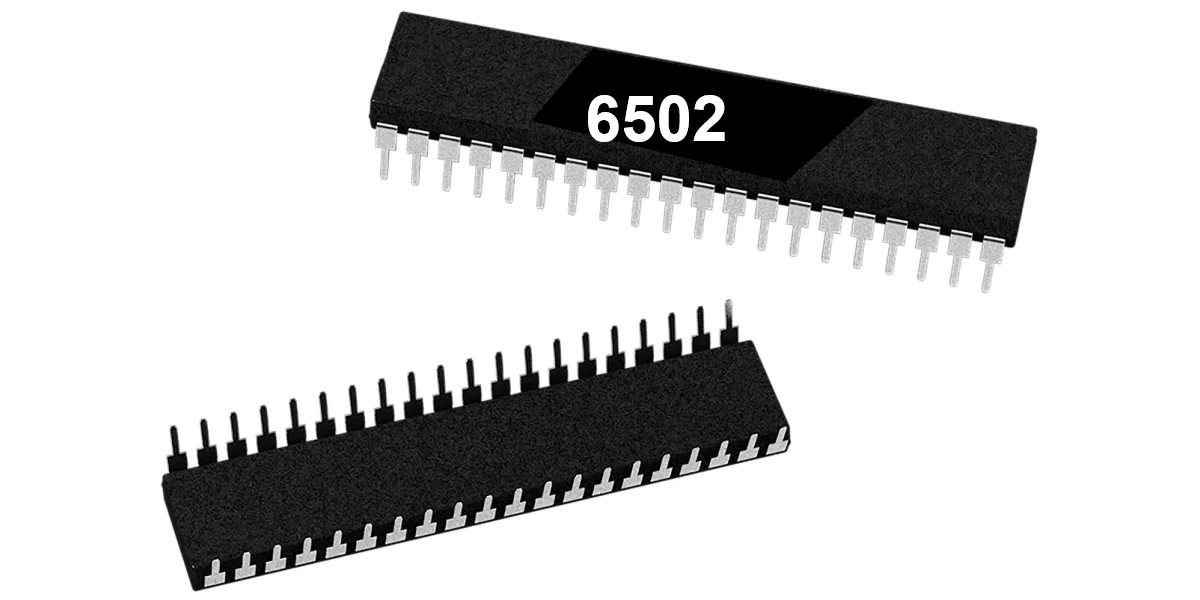
6502 8-Bit Microprocessor (40-Pin CPU) The 6502 is a classic 8-bit microprocessor widely used in early arcade hardware and computer systems. This 40-pin DIP CPU served as the primary processor for many classic arcade PCBs and is responsible for executing the game program, processing player inputs, and controlling overall system timing. Many Atari arcade boards rely on the 6502 processor to manage gameplay logic and communicate with other hardware components such as ROM chips, RAM, and video circuitry. A working CPU is essential for proper board operation, making the 6502 a common replacement component during arcade PCB repair and restoration. Key Features 6502 8-bit microprocessor Standard 40-pin DIP (Dual In-line Package) Commonly used in classic arcade PCBs Handles game logic, timing, and hardware control Ideal for arcade board troubleshooting and repair Used In Arcade Games Such As Asteroids Battlezone Centipede Tempest Warlords Missile Command Gravitar Red Baron Because the 6502 processor was widely adopted by Atari and other arcade manufacturers, it appears on many classic arcade boards from the late 1970s and early 1980s. Installation Notes Installs in a standard 40-pin DIP socket Carefully align the notch orientation when installing Recommended for technicians performing arcade PCB repair or restoration *Manufacturer brands may vary.

Any Coin Mech for Home Arcades The Any Coin Mech is designed as a direct drop-in replacement for many popular arcade coin mechanisms, including models from Happ, Coinco, Imonex, and other manufacturers. It provides a simple and reliable solution for restoring or upgrading the coin acceptance system in arcade machines. This versatile coin mechanism is ideal for home arcade cabinets and personal arcade setups where flexibility and reliability are important. The design accepts multiple coin types without requiring adjustments, making it easy to install and use. Key Features Direct drop-in replacement for many existing arcade coin mechanisms Accepts quarters, 0.984″ tokens, and dimes with no adjustment required Engineered to reduce coin jams and improve long-term reliability Includes four durable plastic mounting pegs that will not rust Proudly made in the USA Ideal for home arcade cabinets and custom arcade builds Compatibility This coin mechanism has been tested with a wide range of arcade hardware and is compatible with machines manufactured by: Atari Bally Midway Gottlieb Stern Taito Williams Sega and many other arcade manufacturers The Any Coin Mech is a convenient solution for arcade restorations and modern home arcade builds that require a dependable coin acceptor capable of handling multiple coin types.

Arcade PCB Mounting Feet Kit This PCB mounting feet kit provides a simple and reliable way to secure arcade circuit boards inside a cabinet. These plastic stand-offs elevate the PCB slightly above the mounting surface, helping protect the board from shorts, vibration, and damage caused by direct contact with the cabinet or mounting panel. Properly mounting a PCB is important for long-term reliability. Using mounting feet keeps the board stable while also allowing airflow beneath the PCB, which can help reduce heat buildup during operation. Kit Includes 4 white PCB mounting feet 4 mounting screws Installation Notes Designed to raise the PCB off the mounting surface for protection Helps prevent shorts and accidental contact with cabinet hardware Recommended for arcade PCB installations, repairs, and restorations We recommend using these mounting feet whenever installing or replacing an arcade PCB to ensure the board is properly supported and secured inside the cabinet.

Easy CoinUp (E.C.U.) — Quarter-Style Coin-Up Switch It Just Makes Sense! We’ve all seen it: a loose switch dangling from the coin door, or a hole drilled in the cabinet just to add credits. Many games offer a Free Play mode, but some disable attract sounds or visuals—so passers-by never see or hear the game in action. Easy CoinUp fixes that. It’s a pushbutton that looks like a quarter, so everyone knows exactly what it does: add a credit. Installation is simple and causes no permanent damage beyond applying adhesive to the metal coin door. Installation Instructions (Quick & Easy) Peel the backing liner and apply the E.C.U. where you want it mounted. Wrap the “tail” around the coin door, pressing firmly so the adhesive bonds (industrial 3M 300LSE—once it sticks, it sticks). Peel the second liner and apply the “Quarter” overlay to the front of the switch. Solder two wires from the tail’s solder pads to the machine’s coin switch. The E.C.U. is a membrane SPST switch; your machine must expect a single circuit closure (typical for most arcade and pinball machines). Insulate the E.C.U. pins with electrical tape after soldering so they can’t touch grounded metal or other circuits. Note: Installation requires basic soldering. Tips & Tricks Thoroughly clean the mounting area; finish with rubbing alcohol and let it evaporate. Mount near the “Insert Coin” slots so players find it quickly. Avoid high-friction spots on the coin door; look for rubbed paint or scratches and choose a smoother area. If the conductive circuit in the tail is worn through, the switch will stop working—route and secure it thoughtfully. Keep out of reach of children—they may peel or try to swallow the parts.

DK / DK Jr. Pin-Harness to Card-Edge Adapter This adapter converts the original pin-style cabinet wiring harness found in classic Donkey Kong and Donkey Kong Jr. cabinets to the newer card-edge connector used on later Nintendo board sets—making swaps and upgrades fast and reversible. Key Features Direct, plug-in conversion from pin-header harness to card-edge connector. No cutting or permanent changes to the original cabinet wiring. Clean signal routing for power, video, audio, and controls. Keyed/marked orientation to help prevent mis-connection. Compatibility Cabinets: Nintendo DK and DK Jr. with pin-style harness. Boards: Later Nintendo board sets using a card-edge connector (verify your specific PCB before installation). Installation Notes Power off the cabinet before connecting or removing the adapter. Match orientation/keys and seat connectors fully; avoid forcing the edge. No soldering required for standard harnesses. Tip: Check your cabinet’s wiring diagram and the target PCB pinout to confirm signal order before first power-on.

8035 8-Bit Microcontroller (Sound CPU, 40-Pin DIP) The 8035 is an 8-bit microcontroller from the Intel MCS-48 family that was commonly used as the sound CPU on classic arcade PCBs. This processor manages audio control, timing signals, and communication with the sound hardware that generates music and sound effects during gameplay. In many arcade boards, the 8035 operates alongside the main game processor and is dedicated to handling audio-related tasks. By separating sound processing from the main CPU, arcade hardware was able to deliver more complex sound effects and music while maintaining smooth gameplay performance. The chip uses a standard 40-pin DIP (Dual In-line Package) and installs into a compatible socket on the arcade PCB. Because the sound CPU is critical for proper audio operation, the 8035 is often replaced during troubleshooting and restoration of classic arcade boards. Key Features 8035 8-bit microcontroller from the Intel MCS-48 family Commonly used as the sound CPU on arcade PCBs Standard 40-pin DIP package Handles audio control, timing, and sound hardware communication Ideal for arcade PCB repair and restoration Used In Arcade Games Such As Donkey Kong Donkey Kong Jr. Donkey Kong 3 …and other classic Nintendo arcade titles Installation Notes Installs into a standard 40-pin DIP socket on compatible arcade PCBs Ensure the notch orientation matches the socket when installing Recommended for technicians performing arcade PCB troubleshooting or repair *Brand or manufacturer markings may vary (for example NEC 8035 or compatible equivalents).

Arcade Button Harness with 6-Pin Header This arcade button harness is designed to connect additional control panel buttons to compatible arcade hardware such as the ArPiCade system and other arcade PCBs. It provides a simple wiring solution for adding extra player buttons, commonly used for functions such as buttons 4, 5, and 6 on arcade control panels. Each harness is approximately 4 feet long, providing enough length for clean routing inside an arcade cabinet. The wiring is designed for reliable arcade use and connects easily to standard microswitch terminals found on arcade pushbuttons. Key Features Compatible with ArPiCade and other arcade control interfaces Approximately 4 feet long for flexible cabinet installation .187 female quick disconnect terminals for standard arcade microswitches 6-pin header connector for direct connection to PCB or ArPiCade input header Supports additional control panel buttons such as buttons 4, 5, and 6 Typical Uses Connecting extra action buttons on arcade control panels ArPiCade player 1 and player 2 extended button inputs Custom arcade cabinet builds and modifications Arcade hardware upgrades requiring additional button wiring This harness is a convenient solution for adding additional button inputs to arcade systems while maintaining clean and organized wiring inside the cabinet.

Konami 4-Player Kick Harness – JAMMA+ Auxiliary Harness The Konami 4-Player Kick Harness allows you to connect the Player 3 or Player 4 joystick and buttons for Konami four-player arcade games. This harness connects directly to the PCB using a 15-pin header and provides properly numbered wiring to simplify installation in your arcade cabinet. Key Features Compatible with Konami 4-player arcade games Allows connection of Player 3 or Player 4 joystick and buttons Approximately 3 feet long for flexible cabinet installation .187 female quick disconnects for secure microswitch connections Includes enough ground connectors for arcade control wiring 15-pin header connects directly to your PCB Header is numbered to match wiring locations on your control panel Wire colors may vary, but pin numbers remain consistent Pinout Reference Download the full Konami 4-player kick harness pinout reference: Konami Kick Harness Pinout PDF Please Note: You will need two harnesses if you want to connect both Player 3 and Player 4 controls to your control panel.
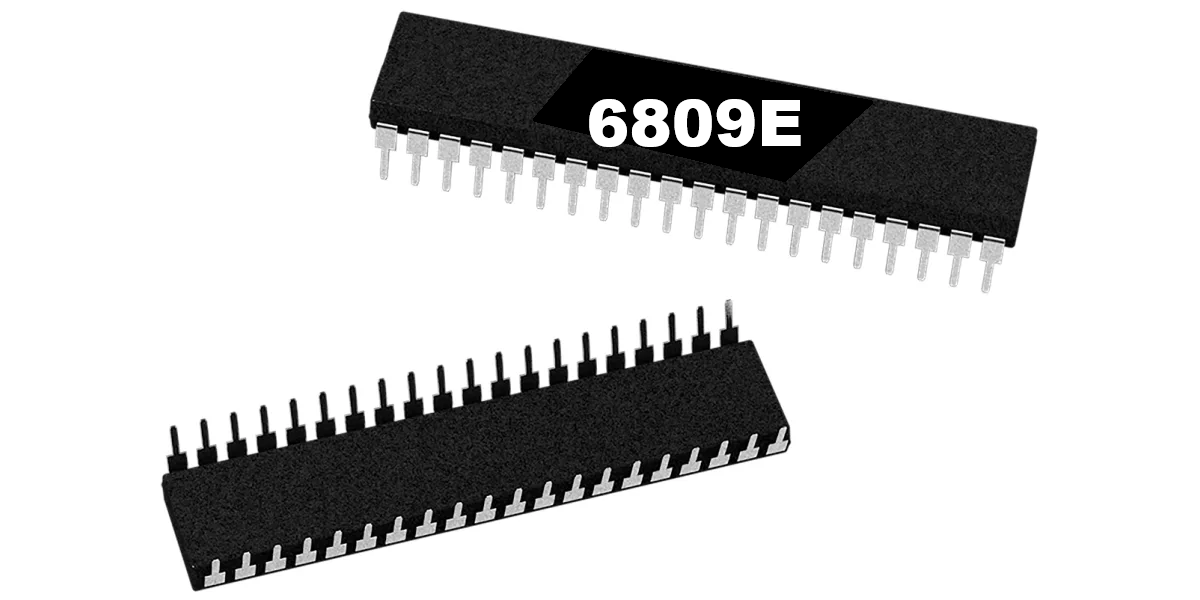
6809E 8-Bit Microprocessor (40-Pin CPU) The 6809E is a powerful 8-bit microprocessor commonly used in classic arcade PCBs during the early and mid-1980s. This processor served as the main CPU for many arcade boards, executing game code, handling player inputs, and coordinating communication between memory, sound hardware, and video circuitry. Known for its advanced architecture compared to earlier processors, the 6809E provided improved instruction sets and efficient memory addressing, making it a popular choice for more complex arcade games. A properly functioning CPU is essential for reliable board operation, making the 6809E a common replacement component during arcade PCB repair and restoration. Key Features Motorola 6809E 8-bit microprocessor Standard 40-pin DIP (Dual In-line Package) Used as the main CPU in many classic arcade boards Handles game logic, timing, and hardware communication Ideal for arcade PCB repair and restoration work Used In Arcade Games Such As Circus Charlie Juno First Track & Field Hyper Sports Star Wars Qix …and many other classic arcade titles Some arcade boards use the 6809E processor in conjunction with other supporting chips or adapters. In certain Konami systems, the 6809E can be used with a 42-pin Konami-1 adapter, which is included with some HighScoreSaves kits. Installation Notes Installs into a standard 40-pin DIP socket on compatible arcade PCBs Ensure proper notch orientation when installing the CPU Recommended for technicians performing arcade board troubleshooting or restoration *Can be used with a 42-pin Konami-1 adapter (included with some HighScoreSaves kits). *Manufacturer brands may vary.
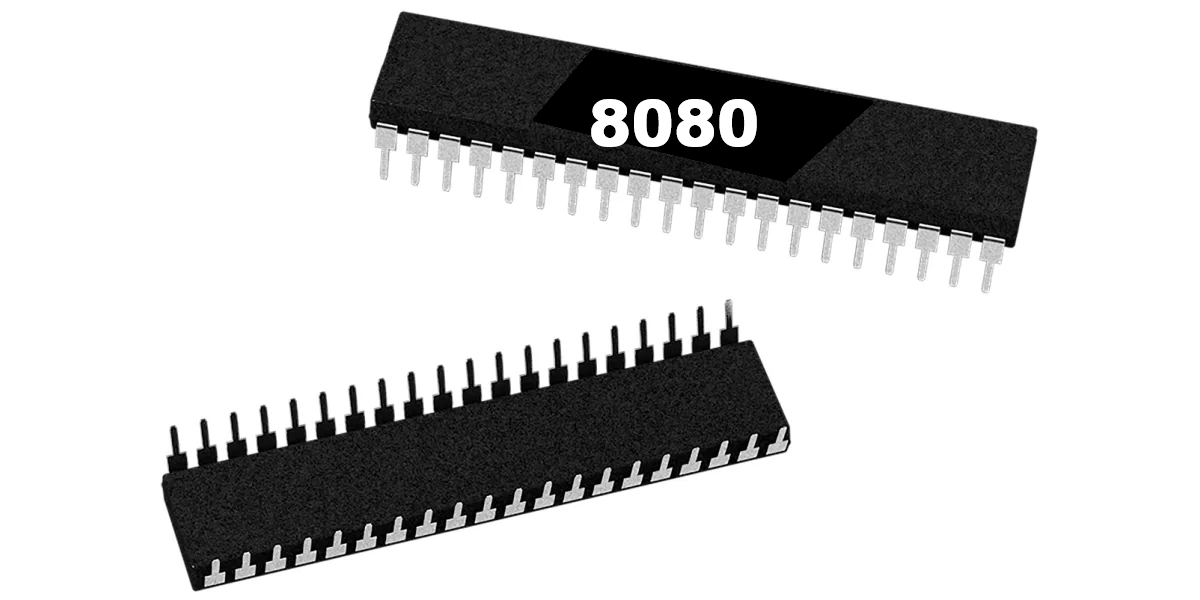
8080 8-Bit Microprocessor (40-Pin CPU) The Intel 8080 is a classic 8-bit microprocessor that powered many early arcade machines. Introduced in the mid-1970s, the 8080 became one of the foundational CPUs used in the first generation of dedicated arcade hardware. On arcade PCBs, the 8080 serves as the main processor responsible for executing the game program, handling player inputs, controlling game timing, and coordinating communication with video and sound hardware. Because it manages core gameplay functions, a properly functioning CPU is essential for reliable arcade board operation. The processor uses a standard 40-pin DIP (Dual In-line Package) and installs into a compatible socket on the arcade PCB. During arcade board troubleshooting or restoration, the 8080 is sometimes replaced to resolve boot failures, game resets, or non-functioning boards. Key Features Intel 8080 8-bit microprocessor Standard 40-pin DIP package Main CPU used in early arcade hardware Handles game logic, timing, and system control Suitable for arcade PCB repair and restoration Used In Arcade Games Such As Space Invaders Space Invaders Deluxe …and other early arcade titles using 8080-based hardware Installation Notes Installs into a standard 40-pin DIP socket on compatible arcade PCBs Ensure correct notch orientation when installing Recommended for technicians performing arcade PCB troubleshooting or restoration *Manufacturer brands or markings may vary.

Raspberry Pi - Model 3B Overview The Raspberry Pi - Model 3B is a compact single board computer commonly used for embedded projects and arcade builds. It is often paired with an ArPiCade Raspberry JAMMA Adapters to power a JAMMA cabinet setup. You'll Need (Not Included) Micro SD card with an ArPiCade image installed One of the following ArPiCade Raspberry JAMMA units: ArPiCade Mini Raspberry Pi JAMMA Adapter ArPiCade Raspberry Pi JAMMA Adapter ArPiCade Raspberry Pi JAMMA Adapter – 4 Player Keyboard and mouse (for menu customization) Specifications Raspberry Pi 3 Model B is the earliest model of the third-generation Raspberry Pi. Quad Core 1.2GHz Broadcom BCM2837 64bit CPU 1GB RAM BCM43438 wireless LAN and Bluetooth Low Energy (BLE) on board 100 Base Ethernet 40-pin extended GPIO 4 USB 2 ports 4 Pole stereo output and composite video port Full size HDMI® CSI camera port for connecting a Raspberry Pi camera DSI display port for connecting a Raspberry Pi touchscreen display Micro SD port for loading your operating system and storing data Upgraded switched Micro USB power source up to 2.5A
40-Pin Socket Specifications This 40-pin DIP socket is designed for reliable installation of integrated circuits and arcade daughter boards that use a standard 40-pin layout. Using a socket allows the chip or module to be easily removed or replaced without soldering directly to the PCB, helping protect the board during upgrades, repairs, or troubleshooting. Pin Pitch: 2.54 mm (0.100″) standard DIP spacing Total Pins: 40 pins arranged in two rows (2×20) Mounting Type: Through-hole (THT) for secure soldered installation Compatibility: Designed for standard 40-pin DIP integrated circuits and modules Installation Benefit: Allows ICs to be inserted or removed without repeated soldering Use Case: Ideal for arcade PCB upgrades, ROM installations, and repair work The standard 2.54 mm (0.100″) pin spacing matches the layout used on most classic arcade PCBs and DIP integrated circuits. Once soldered to the board, the socket provides a stable connection while allowing the chip to be safely inserted and removed when needed.