
Guzzler Free Play and High Score Save Kit


Product information "Guzzler Free Play and High Score Save Kit"
Customize Your Guzzler Free Play and High Score Save Kit
Build your kit exactly how you want it. Choose a Wi-Fi Enabled Kit or a Standard Save Kit. You can also add a processor and/or a 40-pin socket—optional but recommended for easy installation.
Learn More About This Kit
Click a button to view details, tips, or the installation guide:
Main Features
- Easy install – No soldering, board modifications, or special wiring. Plug in and go!
- Save your scores forever – Uses reliable serial EEPROM (not NVRAM or batteries).
- High Score Save – Saves the Top 5 scores with initials.
- Copyright – Switch attract-screen logo between original manufacturer and HighScoreSaves.
- Freeplay – No coins needed.
- Coin Up – Still supports coins if desired.
- Attract Mode – Prevents screen burn from static images.
- On-screen DIP settings – Menu-driven; no cabinet pulling.
- ROM Saver – Remove original program ROMs if desired.
- Cabinet Support – Supports Upright and Cocktail cabinets.
Additional Features
- Backup & Restore – Save/restore high scores (great for game parties).
- Separate Score Tables – Tables for 2, 3, or 4 lives.
- Stealth Mode – Access the menu by holding P1 while powering on.
- Fast Boot – Quick self-test via menu or DIP OFF mode.
Important Notes
- Ensure your Z80 is socketed. Install a 40-pin socket if not.
- Read the Guzzler Installation Guide (PDF) before beginning installation.
FAQ
Does this kit require soldering?
No — completely plug-and-play.
How many high scores does it save?
Saves the Top 5 scores with initials.
Can I still use coins in Freeplay mode?
Yes — Coin Up still works.
What is Stealth Mode?
Boots as if stock; access by holding Player 1 on power-up.
Does it work in both cabinet types?
Yes — Upright and Cocktail supported.
Where can I download the Installation Guide?
Download here: Guzzler Installation Guide (PDF).


Login
1 review
September 25, 2025 4:15 AM
Rare game happy to find kit
One of my favorite games from Starcade! Kit was easy to install and works perfectly. Love the online scoreboard!
Level up with these!

Z80 8-Bit Microprocessor (40-Pin CPU) The Z80 is an 8-bit microprocessor widely used in classic arcade PCBs. This 40-pin CPU handles core game logic and timing and is essential to reliable board operation. Used In Arcade Games Such As Donkey Kong Galaga Donkey Kong Jr. Frogger Galaxian Dig Dug Xevious …and more! *Brands may vary.

40 pin Socket Specifications Pitch: 2.54 mm (0.100″) Pins: 40 (2×20) Mounting: Through-hole (THT)
Spark your interest -

VS Nintendo Red Tent | Dual Upright Multigame Kit The newest Multi VS kit—now upgraded with head-to-head play, 4-player support on compatible titles, on-panel game switching, and more. Key Features On-panel game switching — On the right side of the control panel, hold P4 and move the joystick Left/Right to swap games on that side. Coin Up shortcut — Hold P4 for ~5 seconds to coin up. Head-to-Head play — Play VS titles facing off across both sides. 4-player support (title-dependent) — Play games like Wrecking Crew, Balloon Fight, and Tennis head-to-head on Red Tent or Dual Upright. NES Zapper support — Use a Zapper gun with the optional Zapper Adapter. Independent resets — Reset either side without interrupting the other. EPROM-socket compatible — Designed for VS PCBs that use EPROM sockets. Up to 16 total games — 8 games per side (PPU/Game Pak dependent). Additional Information Your kit ships with a Game Pak for your specific PPU; see lists below. You can remove program EPROMs and play directly from the kit’s Game Pak titles. Tetris and Battle City require correct DIP palette settings on the original PCB. Important Compatible cabinets: VS Red Tent or VS Dual Screen Upright. Game list depends on your PPU — 0001, 0002, 0003, 0004, or 2C03B. Identify your PPU: look for a heatsink and a number printed on the chip (e.g., 0002). Read the installation guide: VS Red Tent / Dual Upright Multigame Installation Guide (PDF) Game Paks by PPU PPU 0001 Standard: Mighty Bomb Jack, Pinball, Battle City, Excitebike, SMB, Skate Kid, Mach Rider, Tetris With Gun: Mighty Bomb Jack, Battle City, Excitebike, SMB, Mach Rider, Tetris, Hogan’s Alley, Duck Hunt With Gun | Special “Head-to-Head”: SMB, Excitebike, Tetris, Wrecking Crew, Balloon Fight, Tennis, Hogan’s Alley, Duck Hunt Special “Head-to-Head”: SMB, Excitebike, Tetris, Mighty Bomb Jack, Battle City, Wrecking Crew, Balloon Fight, Tennis PPU 0002 Standard: Mighty Bomb Jack, Excitebike, SMB, Slalom, Tetris, Battle City, Mach Rider, Golf With Gun: Mighty Bomb Jack, Battle City, Excitebike, SMB, Slalom, Tetris, Hogan’s Alley, Duck Hunt With Gun | Special “Head-to-Head”: SMB, Excitebike, Tetris, Wrecking Crew, Balloon Fight, Tennis, Hogan’s Alley, Duck Hunt Special “Head-to-Head”: SMB, Excitebike, Tetris, Mighty Bomb Jack, Slalom, Wrecking Crew, Balloon Fight, Tennis PPU 0003 Standard: Mighty Bomb Jack, Excitebike, SMB, Pinball, Tetris, Battle City, Skate Kid, Soccer With Gun: Mighty Bomb Jack, Battle City, Excitebike, SMB, Soccer, Tetris, Hogan’s Alley, Duck Hunt With Gun | Special “Head-to-Head”: SMB, Excitebike, Tetris, Wrecking Crew, Balloon Fight, Tennis, Hogan’s Alley, Duck Hunt Special “Head-to-Head”: SMB, Excitebike, Tetris, Mighty Bomb Jack, Battle City, Wrecking Crew, Balloon Fight, Tennis PPU 0004 Standard: Excitebike, SMB, Clu Clu Land, Tetris, Battle City, Skate Kid, Ice Climber, Pinball With Gun: Clu Clu Land, Ice Climber, Excitebike, SMB, Tetris, Mighty Bomb Jack, Hogan’s Alley, Duck Hunt With Gun | Special “Head-to-Head”: Clu Clu Land, Ice Climber, Tetris, Wrecking Crew, Balloon Fight, Tennis, Hogan’s Alley, Duck Hunt Special “Head-to-Head”: SMB, Excitebike, Tetris, Clu Clu Land, Ice Climber, Wrecking Crew, Balloon Fight, Tennis PPU 2C03B Standard: Ninja Jajamaru Kun, Excitebike, SMB, Star Luster, Tetris, Battle City, Skate Kid, Mighty Bomb Jack With Gun: Ninja Jajamaru Kun, Excitebike, SMB, Star Luster, Tetris, Mighty Bomb Jack, Hogan’s Alley, Duck Hunt With Gun | Special “Head-to-Head”: Ninja Jajamaru Kun, Excitebike, SMB, Wrecking Crew, Balloon Fight, Tennis, Hogan’s Alley, Duck Hunt Special “Head-to-Head”: Ninja Jajamaru Kun, Excitebike, SMB, Tetris, Mighty Bomb Jack, Wrecking Crew, Balloon Fight, Tennis FAQ Which cabinets does this kit support? VS Red Tent and VS Dual Screen Upright only. What if I want to play Tennis, Balloon Fight or Wrecking Crew? You must select the “Head-to-Head” Game Paks for your PPUs. These enable 4-player and dual-screen support. How do I switch games? Hold P4 and move the joystick Left/Right to swap games on that side. How do I coin up quickly? Hold P4 for about 5 seconds. Does it support head-to-head and 4-player games? Yes—titles such as Wrecking Crew, Balloon Fight, and Tennis support head-to-head and some allow 4-player depending on configuration. Can I use a NES Zapper? Yes—using the optional Zapper Adapter. Check “With Gun” Game Paks for supported games. Do the two sides reset independently? Yes. You can reset one side without affecting the other. Why do some games require DIP color palette changes? Titles like Tetris and Battle City rely on original PCB palette DIP settings. This matches the real hardware behavior. How do I know which PPU I have? The PPU usually has a heatsink. Look for the number printed on the chip (0001–0004 or 2C03B). How many games can I install? Up to 16 total: 8 games per side depending on your Game Pak and PPU. Where can I download the installation guide? Download it here: VS Red Tent / Dual Upright Multigame Installation Guide (PDF)
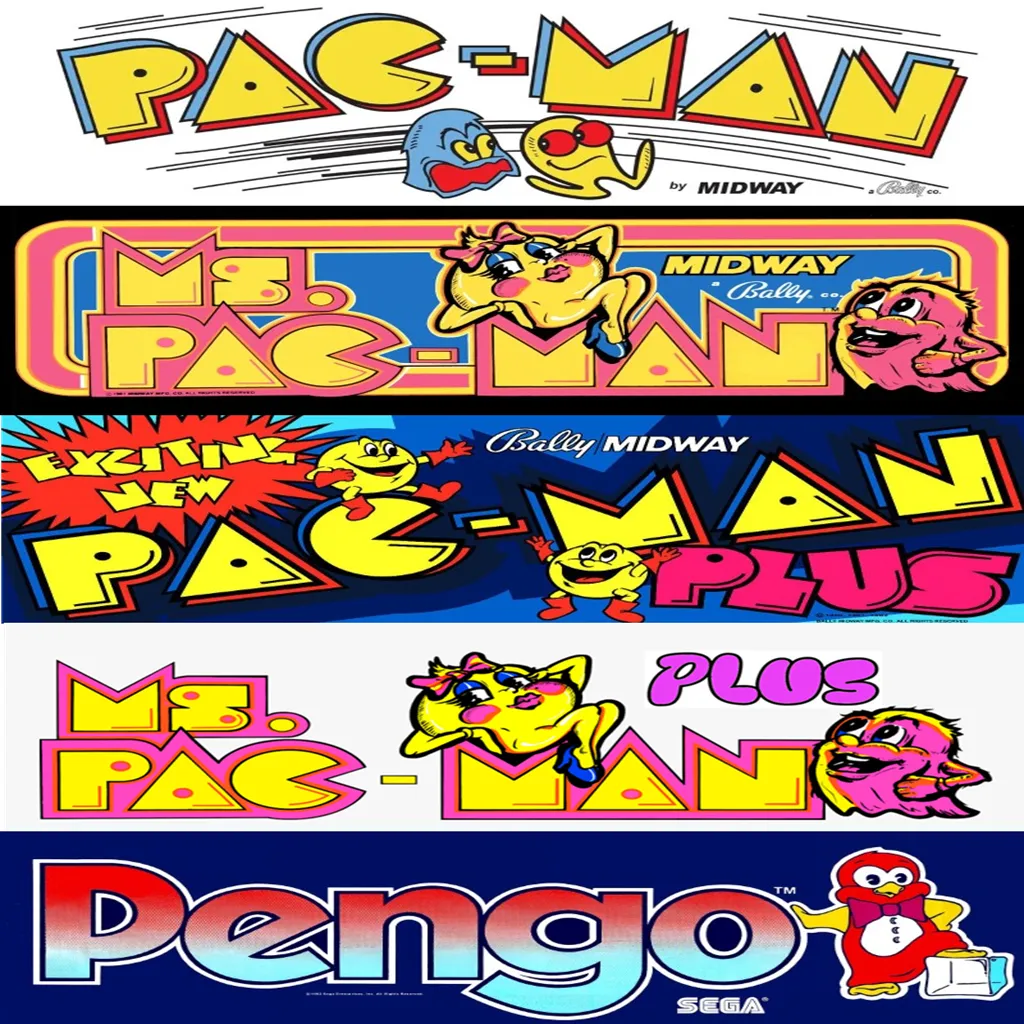
Customize Your Pacman | Ms Pacman Multi Game Free Play and High Score Save Kit Build your kit exactly how you want it. Choose a Wi-Fi Enabled Kit or a Standard Save Kit. You can also add a processor and/or a 40-pin socket — optional but recommended for easy installation. Learn More About This Kit Click a button to view details, tips, or the installation guide. Main Features Easy install — No soldering, board modifications, or special wiring. Plug in and go. Save your scores forever — Uses reliable serial EPROM (not NVRAM or batteries). High Score Save — Saves the Top 10 scores with initials. Attract Sounds — Adjustable to 25%, 50%, or every attract screen. Freeplay — No more coins or opening the coin door. Coin Up — Still supports coins if desired. Attract Mode — Prevents static burn-in on screens. Copyright options — Show original Midway logos or the HighScoreSaves logo. Menu-driven DIP settings — Change DIP switches without opening the cabinet. ROM Saver — Original program ROMs must be removed with this kit installed. Cabinet support — Works in Upright, Cabaret, or Cocktail cabinets. Ships with latest v1.09e version — The best Pac Multi yet! Additional Features Backup & Restore — Back up and reload your scores, great for parties. Fast or Original versions — Play either mode. Extended scoring — Supports up to 9,999,990 points (7-digit saves, no rollover). Separate high score tables — Maintains separate tables for Fast and Original play. Stealth Mode — Choose what game the kit boots to. Enable/disable submenus to restrict guest access. Game select menu included. Option to play Inky and Pinky with original Pac bug behavior or fixed AI. Turn off the “kill screen” to continue past level 255. Switch ghost names from original to alternates. Start at Level 1, Apple level, Key level, or directly at 255 to see the kill screen. Pengo! — Playable using P1 button, no control panel mods required. Important Installation Notes Ensure your Z80 is socketed. If not, install a 40-pin socket for compatibility. Read the installation guide before starting — Pac-Man | Ms. Pac-Man Multigame Installation Guide (PDF) . Compatible PCBs — Works with Pac-Man, Ms. Pac-Man, and Pac-Man Plus boards. Changes color PROMs: Pac-Man Plus, Ms. Pac-Man Plus, and Pengo will have original colors and sounds. New RAM Test (v1.09+) — DIP 1 and 2 OFF triggers an automatic RAM diagnostic at startup; DIP 1/2 ON disables the loop test. Game List Fast Versions Pac-Man Ms. Pac-Man Pac-Man Plus Ms. Pac-Man Plus Original Versions Pac-Man Ms. Pac-Man Pac-Man Plus Ms. Pac-Man Plus Pengo V3 Pengo V2 Just the FAQ's Which PCBs are compatible?Original Pac-Man, Ms. Pac-Man, and Pac-Man Plus boards. Do I need to remove the original program ROMs?Yes. With ROM Saver enabled, original program ROMs must be removed. How many scores are saved?The kit saves the Top 10 scores with initials and maintains separate tables for Fast and Original modes. Does it support Freeplay and coins?Yes. Enable Freeplay or keep Coin Up active—your choice. Can I bypass the kill screen?Yes. You can disable the kill screen and continue past level 255. What’s included in v1.09e?v1.09e includes the latest RAM test, extended scoring, and refinements to the multigame menu and options. Is Pengo included and how is it controlled?Yes, Pengo is included and is playable using the P1 button—no control panel mods required. Can I change ghost AI and names?Yes. Toggle original Pac bug behavior vs fixed AI, and switch between original and alternate ghost names. Will colors/sounds be correct on Plus and Pengo?Yes. Color PROMs are handled so Pac-Man Plus, Ms. Pac-Man Plus, and Pengo use original colors and sounds. Where is the installation guide?Right here: Pac-Man | Ms. Pac-Man Multigame Installation Guide (PDF) . Resources Pac-Man | Ms. Pac-Man Multigame — Installation Guide (PDF) HighScoreSaves YouTube Channel — Installation Tips HighScoreSaves Facebook Page HighScoreSaves eBay Store

Customize Your Mappy Free Play and High Score Save Kit Build your kit exactly how you want it. Choose a Wi-Fi Enabled Kit or a Standard Save Kit. You can also add a processor and/or a 40-pin socket—optional but recommended for easy installation. Learn More About This Kit Click a button to view details, tips, or the installation guide. Main Features Easy install: No soldering, board modifications, or special wiring—just plug in and play. Save your scores forever: Uses reliable serial EPROM, not failure-prone NVRAM or batteries. High Score Save: Stores the Top 5 scores. Attract sounds: Plays on every attract cycle. Full attract sounds: Includes the dot munching sound from the attract gameplay screen. Freeplay: No more coins needed. Coin up: Keep coin operation enabled if desired. Attract mode: Minimizes static screens to reduce burn-in. Menu-driven DIP settings: Full on-screen DIP adjustment menu. ROM Saver: Optionally remove original program ROMs to reduce power usage. Cabinet compatibility: Works in Upright or Cocktail cabinets. Additional Features Separate score tables: Distinct tables for 2, 3, 4, or 5 lives. Backup & Restore: Save and reload high scores anytime. Selectable character names: Choose between Goro or Meowky. Important Installation Notes Processor required: Must have a 6809E installed. Socketed CPU required: If your CPU is not socketed, install a 40-pin socket. Read the Mappy Free Play and High Score Save Kit Installation Guide / Manual (PDF) before setup. FAQ Does this kit permanently save scores?Yes—your Top 5 scores are permanently saved using serial EPROM. Freeplay and coin operation?Yes, choose between Freeplay or Coin-Up. Attract sounds?Includes the full attract sound set including dot munching. Soldering required?No—just plug into a socketed 6809E processor. Backup & Restore?Yes—save and load scores anytime. Download the Installation Guide Download the Mappy Free Play and High Score Save Kit Setup Instructions / Installation Manual (PDF) Socketed CPU required?Yes—a socketed 6809E. Resources Mappy Free Play and High Score Save Kit — Installation Guide (PDF) HighScoreSaves YouTube Channel — Installation Tips HighScoreSaves Facebook Page HighScoreSaves eBay Store

Customize Your Frogger Free Play and High Score Save Kit Build your kit exactly how you want it. Choose a Wi-Fi Enabled Kit or a Standard Save Kit. You can also add a processor and/or a 40-pin socket—optional but recommended for easy installation. Learn More About This Kit Click a button to view details, tips, or the installation guide. Main Features Easy installation: No soldering, board modifications, or special wiring. Plug in and play. Permanent score saving: Uses a serial EPROM, not failure-prone NVRAM or batteries. High Score Save: Saves the Top 5 scores on screen. Initial entry: Enter and save your initials. Attract logo choice: Switch between manufacturer logo and HighScoreSaves logo. Freeplay mode: No coins needed; Coin Up still supported. Attract mode screen saver: Reduces monitor burn-in. Menu-driven DIP settings: Change options without pulling the cabinet. ROM Saver: Remove original program ROMs to reduce power use. Cabinet support: Works in Upright or Cocktail cabinets. Additional Features Backup & Restore: Save and restore your highscores anytime. Separate score tables: Unique high-score tables for 2, 3, or 4 lives. Stealth Mode: Access the menu by holding Player 1 while powering on. Important Installation Notes Socketed Z80 required: Install a 40-pin socket if your Z80 is soldered directly. Read the Frogger Free Play and High Score Save Kit Installation Guide (PDF) before starting. FAQ Which game does this kit support?This kit is designed specifically for Frogger arcade PCBs. How many high scores are saved?The kit saves the Top 5 scores with initials. Does it support Freeplay and Coin Up?Yes — you can enable Freeplay or keep Coin Up active. Can I change DIP settings?Yes — all DIP options are menu-driven via the on-screen menu. Extra features?Includes Backup & Restore, separate score tables, and Stealth Mode. Where’s the install guide? Download the Frogger Installation Guide (PDF) Resources Frogger Free Play and High Score Save Kit — Installation Guide (PDF) HighScoreSaves YouTube Channel — Installation Tips HighScoreSaves Facebook Page HighScoreSaves eBay Store

Customize Your Wizard of Wor Multigame Free Play and High Score Save Kit Build your kit exactly how you want it. Choose a Wi-Fi Enabled Kit or a Standard Save Kit. You can also add a processor and/or a 40-pin socket — optional but recommended for easy installation. Learn More About This Kit Click a button below to view detailed information, setup tips, or the full installation guide. Main Features Easy install — No soldering, board modifications, or special wiring. Plug in and play. Permanent score saving — Uses serial EPROM, not failure-prone NVRAM or batteries. High Score Save — Saves Top 5 scores in Wizard of Wor and Top 21 in Robby Roto. Initials entry — Enter your initials on the scoreboard. Attract sounds — Enable sounds at 25%, 50%, or 100% of attract-mode rotations. Freeplay mode — No coins needed, but still supports coin play if desired. Coin Up — Continue using coin play if preferred. Copyright message — Choose original manufacturer or highscoresaves.com branding. Change DIP settings — Menu-driven; no need to open your cabinet to adjust switches. ROM Saver — Eliminates the need for a separate ROM board, improving reliability. Cabinet support — Works in both Upright and Cocktail cabinets. Additional Features Backup & Restore — Save high scores and restore them later, perfect for game room parties. Separate score tables — WoW saves by lives chosen; Robby Roto saves by difficulty (9 levels, 5 tables). Reset button — Restart a game without powering off (requires menu enable + P1 & P2 press). ROM Saver (stack note) — Program/ROM/RAM board must be removed; graphics RAM boards stay in place. Stealth Mode — Boot directly to the game without displaying the DIP settings menu. ROM revisions — Includes the latest ROM revisions for each supported game. Game selection on boot — Choose Wizard of Wor or Robby Roto at startup, or auto-load last played. Important Information Z80 socket required — If your Z80 isn’t socketed, install a 40-pin socket for compatibility. Installation guide — Always review the Installation Guide (PDF) before setup. Wizard of Wor on Robby Roto hardware — Due to PCB limits: no starfield background, no sparkle, no speech. Game List Wizard of Wor Robby Roto FAQ Do I need to solder anything? No. Installation is plug-and-play. If your Z80 isn’t socketed, install a 40-pin socket first. Wi-Fi vs Standard — what’s the difference? Wi-Fi kits upload/view scores online and sync to your personal page; Standard kits save locally only. Can I upgrade to Wi-Fi later? No. Wi-Fi must be populated at purchase; it cannot be added later. How many scores are saved? Wizard of Wor saves Top 5; Robby Roto saves Top 21. Are score tables separate per settings? Yes — WoW saves by lives; Robby Roto saves by difficulty level. Does it work in Upright and Cocktail cabinets? Yes — the kit supports both cabinet types. Can I back up and restore high scores? Yes — perfect before and after parties or tournaments. How do I use the Reset button? Enable it in the menu; then press Player 1 + Player 2 simultaneously. Do I still need the original ROM board? No — remove the Program/ROM/RAM board; keep graphics RAM boards installed. Where can I find the Installation Guide? Wizard of Wor Multigame Installation Guide (PDF) Resources Wizard of Wor Multigame — Installation Guide (PDF) HighScoreSaves YouTube Channel — Installation Tips HighScoreSaves Facebook Page HighScoreSaves eBay Store